
Quick Verdict
tl;dv is a well-built meeting recorder and AI notetaker that has evolved from a simple transcript tool into a full-featured revenue intelligence platform. If you run a sales team and need coaching insights, CRM sync, and deal intelligence baked into your meeting workflow, tl;dv delivers genuine value at the Pro tier and above.
For everyone else, freelancers, consultants, students, remote workers who meet occasionally, tl;dv's pricing and feature complexity are overkill. The free plan is limited enough to feel like a trial, and the paid tiers are priced for sales organizations, not individuals.
Bottom line: tl;dv is excellent for sales-led teams. It's not designed for occasional users or privacy-conscious professionals who just want clean AI notes without the overhead.
Key Takeaways
- tl;dv has evolved into a revenue intelligence platform focused on sales coaching, CRM sync, and deal analytics rather than general-purpose note-taking
- Free plan is limited with capped AI summaries and no coaching features, making it more of a trial than a usable tier
- Pro plan at ~$18/user/month covers unlimited recordings and AI summaries, but adds up fast for teams
- Revenue plan at ~$59/user/month is purpose-built for sales orgs running structured call reviews and coaching programs
- No pay-per-meeting option so you pay monthly regardless of how many meetings you actually record
- Strong transcription quality across 30+ languages with speaker identification and searchable archives
- Calendar access required for automatic bot joining, which is a privacy consideration for some teams
- Best alternative for occasional users is KenzNote at $0.99/meeting with no subscription or calendar access needed
Table of Contents
- What is tl;dv?
- Key Features
- Pricing Breakdown
- Pros and Cons
- Who tl;dv is Best For
- Who Should Look Elsewhere
- Top tl;dv Alternatives
- Frequently Asked Questions
What is tl;dv?
tl;dv (short for "too long; didn't view") launched in 2021 as a lightweight meeting recorder for remote teams who needed fast, searchable transcripts of their Zoom and Google Meet calls. The pitch was simple: stop re-watching hour-long recordings and jump straight to the moments that matter.
Since then, the product has grown substantially. Today, tl;dv markets itself as an AI meeting assistant for go-to-market teams, with a particular emphasis on sales coaching, revenue intelligence, and CRM integration. It competes less with general-purpose note-takers and more directly with tools like Gong and Chorus in the revenue intelligence space, though at a lower price point.
tl;dv works as a meeting bot that joins your Zoom, Google Meet, or Microsoft Teams calls, records the audio, generates a transcript, and then applies AI to produce summaries, action items, coaching insights, and searchable highlights.
The product is genuinely good at what it does. The shift toward enterprise sales use cases is a natural evolution, it's also what's pushed the pricing beyond reach for casual users.
 How AI meeting assistants like tl;dv work: a bot joins your call, records audio, and delivers transcripts with AI-generated summaries.
tl;dv Key Features
Meeting Recording and Transcription
tl;dv records video and audio from Zoom, Google Meet, and Microsoft Teams. The meeting bot joins automatically when your calendar is connected, or you can invite it manually.
Transcription quality is strong. tl;dv supports 30+ languages and produces speaker-labeled transcripts with reasonable accuracy for clear audio in English. Accuracy can dip with heavy accents, cross-talk, or poor microphone quality; which is true of most AI transcription tools in this category.
The transcript is searchable, time-stamped, and linked to the video recording so you can click any line and jump to that moment.
AI Meeting Summaries
After each meeting, tl;dv generates an AI summary covering the key discussion points, decisions made, and next steps. The summaries are generally useful and save time compared to skimming a full transcript.
You can also ask follow-up questions about the meeting content through a chat interface, which is helpful when you need to locate a specific discussion or extract a detail you half-remember.
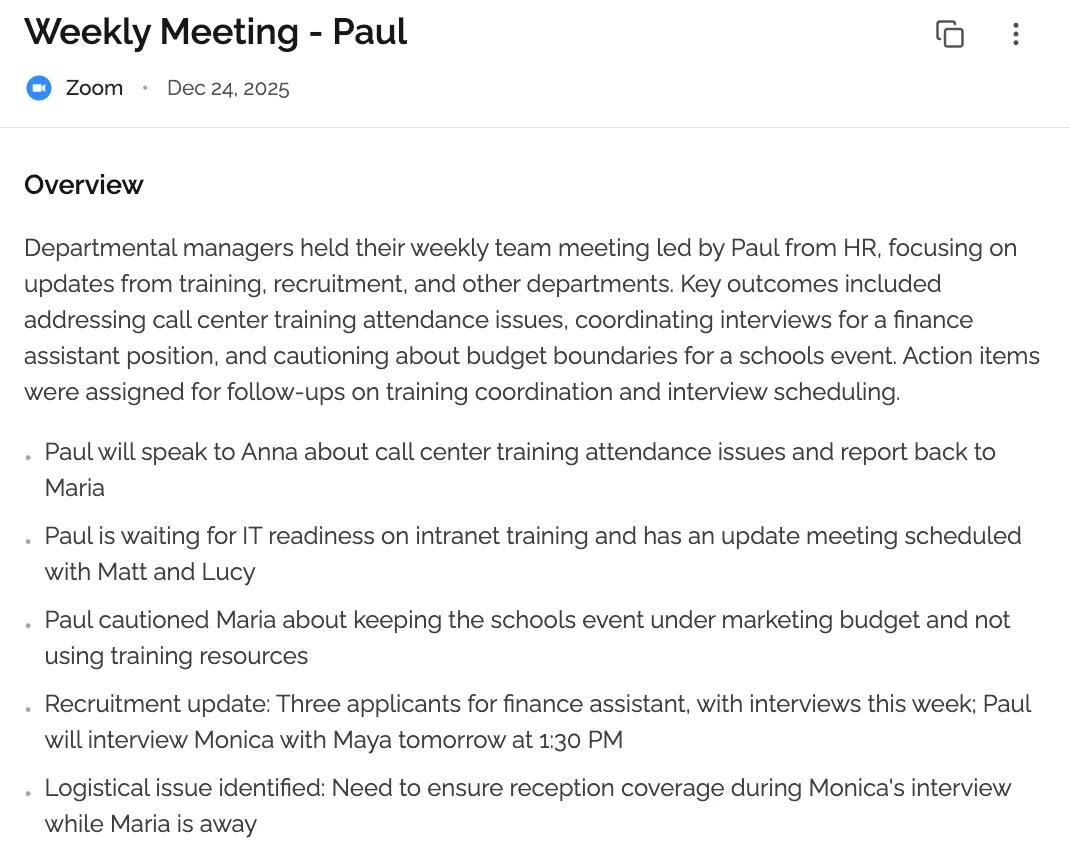 AI summaries distill hour-long meetings into key points, decisions, and action items in seconds.
Sales Coaching Insights
This is where tl;dv differentiates itself from most AI note-takers. At the higher plan tiers, tl;dv analyzes calls for sales coaching signals, talk-to-listen ratios, question usage, filler words, monologue length, and objection handling patterns.
Managers can track rep performance across calls, flag specific moments for coaching, and build a library of best-practice clips to share with the team. For sales leaders running regular call reviews, this replaces a lot of manual work.
Clips and Highlights
tl;dv lets you clip specific moments from a recorded meeting and share them as short video snippets. This is useful for sales teams sharing successful objection-handling moments, or for anyone who wants to surface a specific decision to a stakeholder without forwarding an entire recording.
Clips can be organized into "reels", curated highlight collections for team training purposes.
CRM Integrations
tl;dv integrates with HubSpot, Salesforce, and other common CRMs. It can automatically push meeting notes, transcripts, and AI summaries to the corresponding deal or contact record after a call ends.
For sales teams logging activity in a CRM, this automation removes a manual step. The integration requires setup and some configuration to work cleanly, but it functions reliably once configured.
Collaboration and Sharing
Recorded meetings can be shared via link with teammates or external stakeholders. You can add comments directly to transcript moments, tag colleagues, and create shared note libraries. Meeting libraries are organized and searchable across your team workspace.
tl;dv Pricing Breakdown
tl;dv uses a per-seat subscription model. Pricing as of 2026:
| Plan | Price | Key Limits |
|---|---|---|
| Free | $0/user/month | Limited AI summaries, no coaching features, basic integrations |
| Pro | ~$18/user/month | Unlimited recordings, AI summaries, basic CRM integration |
| Revenue | ~$59/user/month | Full coaching analytics, advanced CRM sync, team performance dashboards |
A few things worth knowing about the free plan: It doesn't give you unlimited AI summaries. You get a limited number per month, and the coaching and analytics features are locked entirely. It works well as a trial to test the recording and transcription quality, but you'll hit the ceiling quickly if you have more than a handful of meetings per week.
The Pro plan at ~$18/seat covers the core use case for most non-sales users: unlimited recordings, AI summaries, and basic integrations. If you're on a team of five, that's $90/month; not unreasonable for a daily tool, but significant if you're an individual or only record meetings occasionally.
The Revenue plan at ~$59/seat is clearly positioned at sales organizations with a coaching workflow. For a team of five sales reps, that's $295/month or $3,540/year. The feature set justifies the price for the right use case, but it's not a casual purchase.
There's no pay-per-meeting option. You pay the monthly seat fee regardless of how many meetings you record that month.
tl;dv Pros and Cons
Pros
- Strong transcription quality across 30+ languages with speaker identification
- Clips and highlights make it easy to share specific meeting moments
- Sales coaching features are genuinely useful for teams that run regular call reviews
- CRM integration with HubSpot and Salesforce reduces manual data entry
- Works across Zoom, Google Meet, and Microsoft Teams; no platform lock-in
- Searchable meeting library lets you find conversations and decisions across all past recordings
- Free plan available to test transcription and recording quality before committing
Cons
- Subscription-only pricing means you pay monthly even when meetings are infrequent
- Free plan is restrictive, AI summaries are capped and coaching is unavailable
- Calendar access required for automatic bot joining, a privacy consideration
- Revenue plan pricing is enterprise-level and out of reach for small teams or individuals
- Feature complexity can feel excessive if you only need basic notes and summaries
- Bot joining meetings can feel awkward with clients or in sensitive contexts where recording isn't normalized
Who tl;dv is Best For
tl;dv makes the most sense in a few specific situations:
Sales teams running structured call reviews. The coaching analytics, talk-to-listen ratios, and clip-based training library are purpose-built for this workflow. If your team does weekly call reviews and managers coach reps on recorded calls, tl;dv at the Revenue tier delivers real value.
Go-to-market teams with HubSpot or Salesforce. The CRM sync takes a genuinely tedious task, logging meeting notes to a deal record, and automates it. Teams that take CRM hygiene seriously will benefit.
Remote-first teams with frequent internal meetings. If your team records most of its meetings for async collaboration, the searchable library and commenting features make tl;dv a strong knowledge management layer on top of your video calls.
Companies already evaluating revenue intelligence tools. tl;dv sits in a similar category to Gong and Chorus but at a lower price point. If budget is a constraint for a full revenue intelligence platform, tl;dv is a credible mid-market option.
Who Should Look Elsewhere
tl;dv isn't the right tool for everyone. Consider an alternative if:
You only record meetings occasionally. Paying $18/month (or more) per seat doesn't make economic sense if you have two or three recorded meetings per month. A pay-per-meeting tool costs a fraction of that.
You're privacy-conscious about calendar access. tl;dv's automatic bot joining requires calendar integration. If you prefer not to grant a third-party app access to your calendar, or if your organization has restrictions on this, the workflow becomes manual and less seamless.
You don't need sales coaching features. The Revenue plan's primary value is coaching analytics. If your use case is simply "I want clean notes and action items from my meetings," you're paying for features you'll never use.
You work with clients who are uncomfortable with bots. The visible meeting bot can create friction with clients or partners in industries where recording isn't yet normalized. Some users prefer a workflow that doesn't announce itself.
You're a freelancer, consultant, or student. The per-seat subscription model assumes steady, high-volume meeting usage. Occasional users pay proportionally more per meeting than heavy users.
Top tl;dv Alternatives
1. KenzNote - Best for Occasional Users and Privacy
Best for: Freelancers, consultants, and anyone who records meetings occasionally and doesn't want a monthly subscription.
KenzNote takes a different approach to pricing and privacy. Instead of a per-seat monthly subscription, you pay $0.99 per meeting, only when you actually record one. There's no monthly fee, no minimum commitment, and no calendar access required. You paste the meeting link when you want it recorded; your calendar stays private.
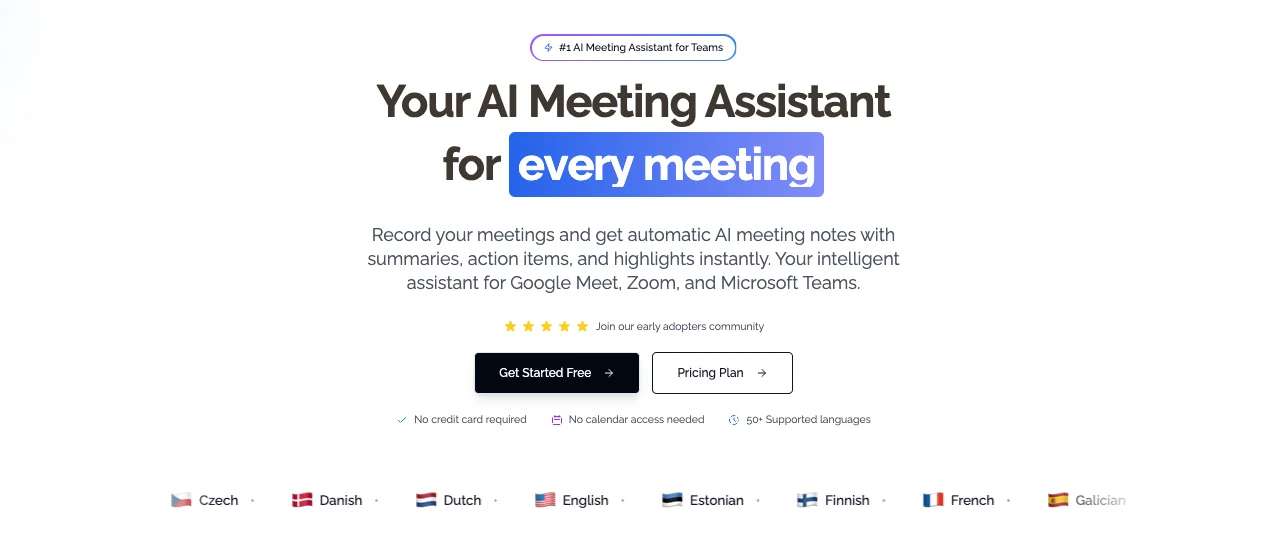 KenzNote: Pay-per-meeting pricing with no subscription or calendar access required.
KenzNote works with Zoom, Google Meet, and Microsoft Teams and delivers clean AI-generated meeting notes with action items and summaries. It's not trying to be a revenue intelligence platform. It's a focused tool for getting useful notes out of your meetings without complexity or overhead.
If you record fewer than 15-20 meetings per month, KenzNote will almost certainly cost you less than any tl;dv subscription tier. And because there's no subscription, there's nothing to cancel when you have a quiet month.
Pricing: $0.99 per meeting, no subscription.
2. Otter.ai - Best for High-Volume Meeting Teams
Best for: Teams with frequent internal meetings who want real-time transcription and a generous free tier.
Otter.ai is one of the most established names in AI transcription. It offers real-time live captions during meetings, automatic transcription to Zoom and Google Meet, and a collaborative notes interface where teammates can comment and highlight during calls.
The free plan is more generous than tl;dv's, 300 minutes of transcription per month, making it usable for lighter workloads. Paid plans start at around $17/month per user.
Otter.ai doesn't have tl;dv's sales coaching layer, but it's a solid general-purpose choice for teams prioritizing transcription and searchability.
3. Fireflies.ai - Best for Sales Teams on a Budget
Best for: Sales teams that want CRM integration and call analytics at a lower price than tl;dv's Revenue plan.
Fireflies.ai offers a strong set of features for sales-focused users: CRM integration with HubSpot and Salesforce, conversation intelligence, and a searchable meeting library. It's generally priced lower than tl;dv's comparable tiers, making it competitive for teams where budget is a constraint.
Transcription quality is solid. Some users find tl;dv's coaching analytics more polished, but for teams primarily wanting automated CRM logging and keyword tracking, Fireflies.ai is a credible alternative.
4. Fathom - Best Free Option for Individuals
Best for: Individual users who want a genuinely useful free AI note-taker without a credit card.
Fathom has one of the most generous free plans in the meeting assistant category. It works with Zoom primarily, and in its free tier it offers unlimited recording, AI summaries, and action item extraction with no monthly cap.
Paid plans add team features and integrations. For an individual primarily on Zoom who wants a zero-cost solution, Fathom is hard to beat. It lacks tl;dv's sales coaching depth, but delivers the core meeting notes use case cleanly.
5. Grain - Best for Sharing Customer Call Clips
Best for: Teams that frequently share short video clips from customer calls internally.
Grain's core differentiator is its clip-and-share workflow. Like tl;dv, it lets you clip moments from recorded calls and share them with context. It's particularly popular with product and customer success teams surfacing customer feedback internally. Grain integrates with HubSpot, Salesforce, and Slack, and produces AI summaries alongside the clip workflow.
Frequently Asked Questions
Is tl;dv free to use?
Yes, tl;dv has a free plan. It includes recording and transcription, but AI summaries are limited to a monthly cap and sales coaching features aren't available on the free tier. For testing transcription quality and basic recording, the free plan works. For regular use, most teams will hit the limits quickly.
How accurate is tl;dv's transcription?
tl;dv's transcription is strong for clear English audio, typically achieving 90-95% accuracy in good conditions. Accuracy drops with background noise, heavy accents, or multiple speakers talking over each other; which is the case for most AI transcription tools in this category. The 30+ language support is useful for multilingual teams, though accuracy in non-English languages is generally lower than English.
Does tl;dv work with Microsoft Teams?
Yes. tl;dv supports Zoom, Google Meet, and Microsoft Teams. The meeting bot joins automatically when calendar integration is enabled, or you can invite it manually with a link.
Is tl;dv worth the price?
It depends on your use case. For sales teams actively running call reviews and coaching programs, the Revenue plan at ~$59/user/month delivers real ROI by replacing manual call review work. For individuals or teams who just want clean AI meeting notes, the price is hard to justify when simpler tools, or pay-per-meeting options like KenzNote, can handle the core use case for much less.
Does tl;dv require calendar access?
For the automatic bot-joining feature, yes, tl;dv connects to your calendar to detect upcoming meetings and join automatically. You can also invite the bot manually without calendar access, but the seamless automatic workflow requires the calendar integration. This is a consideration for users or organizations with calendar privacy policies.
What is the best tl;dv alternative for occasional users?
KenzNote is the most practical alternative for occasional meeting users. At $0.99 per meeting with no subscription required and no calendar access needed, it's purpose-built for people who want reliable AI notes without paying a monthly fee for a tool they use sporadically. Fathom is also worth considering if you're primarily on Zoom and want a free option.
Related Resources
References & Citations
- [1]Gartner HR Survey Finds 65% of Employees are Excited to use AI at WorkGartner. December 16, 2025https://www.gartner.com/en/newsroom/press-releases/2025-12-16-gartner-hr-survey-finds-65-percent-of-employees-are-excited-to-use-ai-at-work
- [2]
All external sources have been reviewed for accuracy and relevance. Last verified: October 2026.

About KenzNote Team
The KenzNote team is dedicated to helping teams capture better meeting insights and transform how they collaborate. With backgrounds in AI, product design, and enterprise software, we're building the future of meeting productivity.
Ready to transform your meetings?
KenzNote automatically captures meeting insights, extracts action items, and generates summaries so you can focus on the conversation instead of taking notes.
Try KenzNote Free