
Quick Answer
The best free AI meeting notetaker depends on what you actually need. Otter.ai gives you 300 minutes per month across platforms. tl;dv offers unlimited recordings on Zoom and Google Meet with limited AI credits.
Most other tools are "free" in name only, with heavy limits on recordings, exports, or features. If you meet occasionally and hate paying $15/month for a tool you barely use, KenzNote's pay-per-use model ($0.99/meeting, no subscription, no credit card to start) is the most honest option.
Key Takeaways
- Otter.ai offers the best free cross-platform support with 300 minutes per month across Zoom, Google Meet, and Teams
- Most "free" plans are heavily limited with caps on minutes, storage, exports, or features that push you toward paid tiers quickly
- Calendar access is required by nearly every free tool which means the service can see your entire schedule, including personal events
- Free minute caps run out fast since Otter's 300 minutes can disappear in a single busy week of meetings
- KenzNote's pay-per-use model at $0.99/meeting costs less than subscriptions for anyone recording fewer than 15 meetings per month
- No calendar access needed with KenzNote so you control exactly which meetings get recorded without exposing your full schedule
- Storage policies vary widely with some free tiers deleting recordings after 30 days or capping total lifetime storage
Table of Contents
- What to Look For in a Free AI Meeting Notetaker
- Top 6 Free AI Meeting Notetakers Reviewed
- Feature Comparison Table
- Pricing Reality Check
- Verdict and Recommendation
- Frequently Asked Questions
- Related Resources
You searched "best free AI meeting notetaker" because you don't want to pay $15-19/month for a tool you'll use a handful of times. That's reasonable.
The problem is that "free" in this category rarely means what you think it means. Most tools offer a free plan that works just well enough to get you hooked, then hits you with a minute cap, a locked export, or a storage limit right when you need it most.
We tested 6 of the most popular free AI meeting notetakers to find out what "free" actually gives you, and where each tool draws the line. This guide breaks down every free tier honestly so you can pick the right tool without surprises.
What to Look For in a Free AI Meeting Notetaker
Before you sign up for anything, ask these questions:
1. What's actually free, and for how long?
Many tools offer "free forever" plans that quietly expire into trials, or free tiers so limited they barely cover a single meeting per day. Read the fine print on monthly minute caps, recording limits, and storage expiration.
2. Which meeting platforms does it support?
Some tools only work with Zoom. Others cover Google Meet, Microsoft Teams, and Zoom equally well. If your company runs on Teams, a Zoom-only notetaker is useless.
3. Does it require calendar access?
A surprising number of free notetakers require you to connect your Google Calendar or Outlook before they can join meetings. That means the tool can see every event on your calendar, even the ones you don't want recorded. Privacy-conscious users should pay attention to this.
4. Are transcripts and exports actually usable?
Some free plans give you a transcript but lock the export behind a paywall, or add a "Powered by [Tool]" watermark to everything you share. Check before you commit.
5. How long are recordings stored?
Free tiers often delete recordings after 30, 60, or 90 days. If you need a searchable archive, verify the storage policy.
6. What happens when you hit the limit?
You either stop recording entirely, or the tool prompts you to upgrade. Knowing this upfront helps you plan, especially if you have a spike of meetings at month-end.
Top 6 Free AI Meeting Notetakers Reviewed
1. Otter.ai - Best for Cross-Platform Free Recording
The honest summary: Otter.ai works across Zoom, Google Meet, and Teams on its free plan, with 300 minutes of transcription per month. That's roughly 5 hours of meetings, reasonable for light users, tight for anyone with a full meeting calendar.
What free gives you:
- 300 minutes of transcription per month
- Zoom, Google Meet, and Teams support
- Automated meeting summaries
- Live transcription during meetings
- 30 days of transcript storage
What free doesn't give you:
- More than 300 minutes/month (hard cap, not soft limit)
- Export to PDF or DOCX without premium
- Shared team workspace
- Custom vocabulary for industry terms
Platforms: Zoom, Google Meet, Microsoft Teams
Privacy: Requires calendar integration to auto-join meetings
Verdict: Otter is the most practical free cross-platform option. 300 minutes goes faster than you think, about 6-7 one-hour meetings. After that, you wait for the month to reset or upgrade to Pro ($16.99/month).
2. Fireflies.ai - Free in Name, Limited in Practice
The honest summary: Fireflies offers a free plan but it's heavily restricted. You get 800 minutes of storage total, not per month, total, and limited AI features. This is more of a trial than a sustainable free plan.
What free gives you:
- 800 minutes of transcript storage total (cumulative, not monthly)
- Basic AI meeting summaries
- Search across transcripts
- Zoom, Google Meet, Teams, Webex support
What free doesn't give you:
- More storage once you hit 800 minutes (upgrade required)
- Downloading transcripts or audio
- Speaker talk time analytics
- CRM integrations
- Video recording
Platforms: Zoom, Google Meet, Microsoft Teams, Webex, and others
Privacy: Requires calendar connection
Verdict: 800 minutes of total storage sounds like a lot until you realize it runs out after roughly 13 hours of meetings, ever. Not per month. Once it's gone, you either delete old recordings or pay $18/month. Genuinely useful for testing the product, not for ongoing free use.
3. tl;dv - Free with Strong Video Clips Feature
The honest summary: tl;dv has a functional free plan centered around meeting recordings and a highlight clip feature that lets you create short video snippets from longer meetings. The free plan is usable but caps at a modest number of AI credits per month.
What free gives you:
- Unlimited recordings on free (Zoom and Google Meet)
- Transcripts in 30+ languages
- 10 AI credits per month (used for summaries and Q&A)
- Create video clips and highlights
- Share recordings with a link
What free doesn't give you:
- Unlimited AI summaries (capped by credits)
- Microsoft Teams support (paid)
- CRM or Slack integrations
- Speaker analytics
- Downloading recordings locally
Platforms: Zoom, Google Meet (free); Teams on paid plans
Privacy: Requires calendar connection for auto-join
Verdict: tl;dv is worth trying if you value the ability to clip and share highlights from long recordings. The AI credit limit (10 per month) means you'll run out of automatic summaries quickly. After that, you have recordings but have to read full transcripts yourself.
4. Notta - Generous Free Tier, Strong Transcription Quality
The honest summary: Notta focuses heavily on transcription quality across 104 languages. The free plan gives you 120 minutes per month with a per-file cap of 3 minutes for uploads. That 3-minute upload limit makes it impractical for processing recorded meetings after the fact, but live transcription is more flexible.
What free gives you:
- 120 minutes of transcription per month
- Live meeting transcription (Zoom, Google Meet, Teams)
- Support for 104 languages
- Basic AI summaries
- Export to TXT
What free doesn't give you:
- Uploading audio/video files longer than 3 minutes
- Export to Word or PDF
- Team workspace
- Advanced AI features
- More than 120 minutes/month
Platforms: Zoom, Google Meet, Microsoft Teams
Privacy: Requires calendar integration
Verdict: Notta's transcription quality is impressive, especially for non-English meetings. But 120 minutes per month is roughly 2 one-hour meetings. For multilingual teams who want to test quality before committing, it's a solid starting point. For regular use, the limit is too tight.
5. Avoma - Limited Free Tier, Strong Paid Product
The honest summary: Avoma is primarily a sales and revenue intelligence tool with a free plan that's clearly designed to get you to upgrade. You get a handful of recordings per month and the platform's full complexity is overkill for individual users who just want notes.
What free gives you:
- 6 hours of transcription per month
- Basic meeting notes and summaries
- Zoom and Google Meet support
What free doesn't give you:
- CRM integrations on free
- Team collaboration features
- Coaching and analytics
- More than 6 hours/month
Verdict: If you're evaluating Avoma for a sales team, the free tier is enough to pilot it. For individual meeting notes, there are better free options above.
6. KenzNote - Pay-Per-Use (Not "Free," But Often Cheaper Than Free)
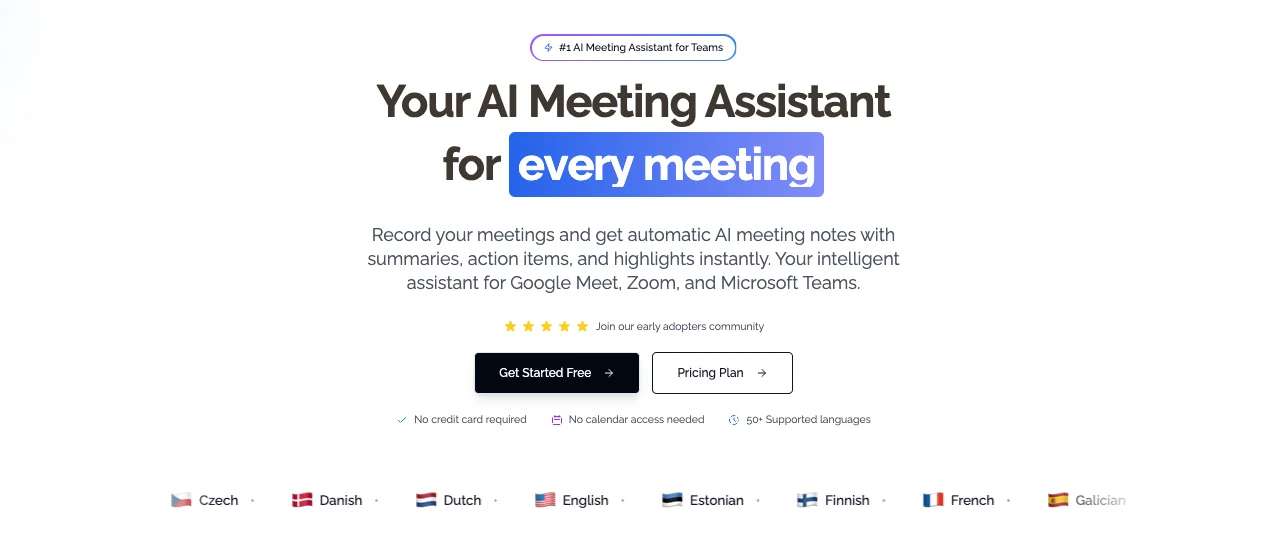 KenzNote: paste a meeting link, get AI notes. No calendar access, no subscription.
The honest summary: KenzNote isn't a free tool, so why is it on this list? Because for most people reading this article, pay-per-use at $0.99 per meeting ends up costing less than "free" tools that push you to a $15/month subscription the moment you need anything useful.
No credit card is required to create an account and explore the product. You only pay when you actually record a meeting.
What you get per $0.99 meeting:
- Full meeting transcription (Zoom, Google Meet, Microsoft Teams)
- AI-generated summary and key takeaways
- Action items extracted automatically
- No calendar access required, paste the meeting link when you want to record
- Transcripts stored without expiration
- Export whenever you need it
What this means in practice:
- 2 meetings per month = $1.98
- 5 meetings per month = $4.95
- 10 meetings per month = $9.90
Compare that to Otter.ai Pro at $16.99/month or Fireflies Pro at $18/month, tools you pay for whether you use them or not.
Who KenzNote is right for:
- Occasional meeting recorders (1-10 meetings per month)
- Freelancers who meet with clients irregularly
- People who want privacy without calendar access
- Anyone who has paid for a meeting tool subscription and used it twice
Who it's not right for:
- Teams with 20+ meetings per month (at that volume, a subscription becomes cheaper)
- Users who need a built-in CRM integration
Platforms: Zoom, Google Meet, Microsoft Teams
Privacy: No calendar connection required; you control exactly which meetings get recorded
Feature Comparison Table
| Tool | Free Minutes | Platforms | Calendar Required | Export | Storage Limit | Paid From |
|---|---|---|---|---|---|---|
| Otter.ai | 300/month | Zoom, Meet, Teams | Yes | Limited on free | 30 days | $16.99/mo |
| Fireflies | 800 total | Zoom, Meet, Teams, more | Yes | No on free | 800 min total | $18/mo |
| tl;dv | Unlimited recordings, 10 AI credits/mo | Zoom, Meet (free) | Yes | No download on free | No limit | $18/mo |
| Notta | 120/month | Zoom, Meet, Teams | Yes | TXT only | No limit | $13.99/mo |
| Avoma | ~360 min/month | Zoom, Meet | Yes | Basic | No stated limit | $19/mo |
| KenzNote | 2 free meetings | Zoom, Meet, Teams | No | Yes, always | No expiration | $0.99/meeting |
Pricing Reality Check: What "Free" Actually Means
This section is worth reading carefully, because the word "free" gets used very loosely in this category.
The Freemium Trap
Most AI meeting notetakers use a freemium model: give you just enough for free to get you hooked, then charge you for the things that matter. The pattern is predictable:
- Free tier: Works, but with limits that interrupt your workflow at the worst possible moment
- Upgrade prompt: Triggered when you hit your minute cap, try to export a file, or want to share a recording
- Paid plan: $15-19/month, billed annually, with a free trial that requires a credit card
For users who record 3-4 meetings a month, paying $15-19/month means spending $180-228 per year for a tool that sits idle most of the time.
The Calendar Access Trade-Off
Almost every free tool on this list requires calendar access to auto-join meetings. This is a genuine privacy trade-off that rarely gets discussed:
- The tool can see every meeting on your calendar, including personal events
- Your calendar data may be used to improve the product or show you targeted features
- If you revoke access, the tool stops working automatically
If privacy matters to you, tools that work without calendar access, like KenzNote, which lets you paste a meeting link manually, give you explicit control over what gets recorded.
What Minute Limits Actually Cost You
Otter.ai's 300 minutes per month sounds like a lot. In reality:
- One 50-minute team standup, five days a week = 250 minutes in one week
- One 60-minute client call per week = 240 minutes per month
You can burn through a month's limit in a single busy week. At that point, you have two choices: stop recording or upgrade.
Fireflies' 800-minute total lifetime cap is even more deceptive. It's not 800 minutes per month. It's 800 minutes across all the meetings you ever record on the free plan. For an average professional, that runs out in 2-3 months of regular use.
The Real Math on Pay-Per-Use
If you use a meeting notetaker for 6 meetings per month on average:
| Option | Monthly Cost | Annual Cost |
|---|---|---|
| Otter.ai Pro | $16.99 | $203.88 |
| Fireflies Pro | $18.00 | $216.00 |
| tl;dv Pro | $18.00 | $216.00 |
| KenzNote (6 meetings) | $5.94 | $71.28 |
KenzNote wins on cost if you need cross-platform support and meet less than roughly 15 times per month. Subscriptions make sense only if you're recording 15+ meetings per month consistently.
Verdict and Recommendation
Best free cross-platform option: Otter.ai. The 300 minutes per month is workable for occasional use, and it supports Zoom, Google Meet, and Teams. Just know the limit hits fast if you have a meeting-heavy week.
Best for privacy-conscious users: KenzNote. No calendar access required, no subscription, you decide meeting by meeting what to record. At $0.99 per meeting, it's cheaper than a subscription for anyone who doesn't meet daily.
Best for teams evaluating a paid tool: tl;dv or Fireflies. Both offer enough on their free tier to give you a real sense of the product before committing to a plan.
Skip if: You're looking for unlimited free use across all platforms with full AI features and no credit card. That product doesn't exist. Any tool claiming it is either hiding the real limits or will change its pricing model within 12 months.
The honest recommendation: start with Otter.ai if you need a free cross-platform option, and KenzNote if you want zero monthly commitment, no calendar access, and clear, predictable costs.
Frequently Asked Questions
Is there a truly free AI meeting notetaker with no limits?
No tool currently offers unlimited cross-platform AI meeting notes for free. The compute costs alone make that model unsustainable. tl;dv offers unlimited recordings on Zoom and Google Meet, but caps AI summaries at 10 credits per month. Otter.ai gives you 300 minutes across platforms but cuts you off after that. Every free tier has a catch, whether it's minute caps, platform restrictions, or locked features.
Do free AI meeting notetakers require a credit card?
Most don't require a credit card to create an account on a free plan. Otter.ai, Fireflies, tl;dv, and Notta all let you sign up without payment details. KenzNote also requires no credit card to create an account; you only enter payment information when you decide to record a specific meeting.
Are free AI meeting notetakers private and secure?
Privacy varies significantly. Nearly all free tools require calendar access to auto-join meetings, which means the tool can see your entire calendar. Check each tool's privacy policy to understand how transcript data is stored and whether it's used for AI training. KenzNote's model, where you paste a meeting link only when you want to record, gives you more explicit control over what's captured.
What happens when I hit the free tier limit?
It depends on the tool. Otter.ai stops transcribing new meetings until your monthly limit resets. Fireflies shows your storage is full and asks you to delete old recordings or upgrade. Most tools will prompt you to upgrade to a paid plan. With KenzNote's pay-per-use model, there's no limit; you simply pay $0.99 for each meeting you choose to record.
Can free AI notetakers join Google Meet and Microsoft Teams?
Yes, but not all of them. Otter.ai, Notta, and Fireflies all support Google Meet and Teams on their free tiers. tl;dv's free plan covers Zoom and Google Meet but not Teams. KenzNote supports all three platforms regardless of plan.
How accurate are free AI meeting transcriptions?
Modern AI transcription, including tools on free plans, typically reaches 90-95% accuracy for clear audio with native English speakers. Accuracy drops in meetings with heavy accents, technical jargon, crosstalk, or poor audio quality. Paid plans sometimes offer custom vocabulary settings that improve accuracy for industry-specific terms. All tools on this list use comparable underlying speech recognition technology; the difference in accuracy between free and paid tiers is usually minimal.
Is $0.99 per meeting actually a good deal compared to free tools?
For light users, yes. If you record 5 meetings a month, KenzNote costs $4.95, well below any paid subscription. The break-even point with most subscription tools is around 15-20 meetings per month. Below that, pay-per-use is usually cheaper. Above that, a subscription saves money. The advantage of pay-per-use is that you never pay for months when you're on vacation, between projects, or simply too busy to need recordings.
Do I need to install anything to use a free AI meeting notetaker?
Most tools work through a browser-based bot that joins your meeting as a participant; no software installation required. Some (like Otter.ai) also offer desktop and mobile apps for additional features. KenzNote works by joining your meeting as a bot after you paste the meeting link; no installation, no calendar plugin, no browser extension needed.
Related Resources
- Best AI Meeting Note Taker Apps 2026
- Best AI Transcription Services 2026
- tl;dv Review 2026: Features, Pricing & Alternatives
- Automatic Meeting Notes: Complete Guide
- How to Transcribe Google Meet Meetings
- Is It Legal to Record Meetings? State-by-State Guide
Ready to Skip the Free Tier Limits?
Stop wrestling with minute caps and locked exports. Pay only for the meetings you actually need recorded.
Start with KenzNote:
- ✅ No credit card to create an account
- ✅ $0.99 per meeting (or $29.99/month unlimited)
- ✅ No calendar access required (paste links when needed)
- ✅ 95-97% accuracy across Zoom, Meet, and Teams
- ✅ No storage expiration on your transcripts
Questions? Email [email protected]
References & Citations
- [1]Gartner HR Survey Finds 65% of Employees are Excited to use AI at WorkGartner. December 16, 2025https://www.gartner.com/en/newsroom/press-releases/2025-12-16-gartner-hr-survey-finds-65-percent-of-employees-are-excited-to-use-ai-at-work
All external sources have been reviewed for accuracy and relevance. Last verified: October 2026.

About Muhammad Abuelenin
Muhammad is the co-founder of KenzNote, passionate about building tools that enhance productivity and collaboration. With expertise in full-stack development and AI-powered solutions, he's dedicated to helping teams work smarter through innovative technology.
Ready to transform your meetings?
KenzNote automatically captures meeting insights, extracts action items, and generates summaries so you can focus on the conversation instead of taking notes.
Try KenzNote Free