![AI Meeting Transcription for Healthcare Teams: Beyond HIPAA Basics [2026]](/images/blog/Note-Taker-for-Healthcare-Teams-1024w.webp)
AI Meeting Transcription for Healthcare Teams: Beyond HIPAA Basics [2026]
Quick Answer
Healthcare teams spend enormous amounts of time in meetings: department huddles, care coordination calls, MDT case conferences, shift handoffs, telehealth admin syncs. Almost none of those meetings have reliable documentation.
AI transcription tools can fix this, but most standard tools are not suitable for healthcare environments. They require calendar access, send bots into calls, and store data on servers that may not meet HIPAA requirements.
KenzNote is built for healthcare staff meetings: $0.99 per meeting, upload-based workflow, no bot joins your call, no calendar access required, and a privacy architecture that fits healthcare security policies.
Key Takeaways
- Documentation failures cause care gaps: Poor meeting documentation is a documented factor in care coordination breakdowns and patient safety incidents
- Standard AI tools are not healthcare-safe: Calendar access requirements, bot-based recording, and missing BAAs disqualify most consumer AI meeting tools from healthcare use
- HIPAA applies to more meetings than you think: Any meeting discussing specific patients, including case conferences, nursing handoffs, and care coordination calls, involves PHI
- Upload-based tools solve the compliance problem: Tools that accept file uploads (rather than joining calls as a bot) align with healthcare IT security policies
- $0.99 per meeting is realistic for most departments: Per-meeting pricing beats per-user subscriptions for departments with variable meeting volumes
- Review AI output before distributing: Medical terminology and clinical language require a brief human review step before transcripts are shared or filed
Table of Contents
- The Healthcare Team Meeting Documentation Problem
- Why Standard AI Meeting Tools Do Not Fit Healthcare
- What Healthcare Teams Actually Need
- HIPAA Compliance Checklist for AI Transcription Tools
- Top 6 AI Transcription Tools for Healthcare Team Meetings
- Healthcare AI Meeting Transcription Comparison Table
- Use Cases: Where AI Transcription Adds the Most Value
- Implementation Tips for Healthcare Teams
- Frequently Asked Questions
Ask any hospital administrator or department head about their meeting documentation and you will hear a familiar story. Nursing shift handoffs that rely on hastily scrawled notes. Case conferences where the follow-up action items were agreed on verbally and then disputed a week later. Interdisciplinary team meetings where the physician remembers one set of outcomes and the care coordinator remembers another.
This article is specifically about staff meetings and team coordination: department meetings, case conferences, care coordination calls, MDT meetings, nursing handoffs, and administrative team syncs. It is not about recording doctor-patient consultations or generating clinical documentation for patient records.
The Healthcare Team Meeting Documentation Problem
Research on healthcare communication failures consistently identifies poor meeting documentation as a contributing factor in care coordination breakdowns. When teams cannot reference an accurate record of what was decided in a care coordination call, patients fall through gaps. When department meeting outcomes are not captured properly, implementation stalls.
Healthcare Meeting Documentation Stats
- Care coordination failures are responsible for an estimated $147 billion in avoidable costs annually in the US healthcare system (NEJM Catalyst)
- 80% of serious medical errors involve miscommunication during care transitions, where handoff documentation quality is a primary factor
- Healthcare staff spend an average of 35% of their work time in meetings and care coordination activities
- Only 23% of healthcare organizations have formal processes for capturing and distributing meeting action items
- Departments with structured meeting documentation see 40% fewer "we never agreed to that" disputes in follow-up coordination
Sources: NEJM Catalyst, Joint Commission Sentinel Event Data, Healthcare Management Review
The manual documentation approach, where someone writes notes by hand or types into a laptop during the meeting, fails in two predictable ways. First, the note-taker cannot fully participate while writing.
Second, manual notes are selectively accurate: the note-taker captures what they think is important, which may not match what others remember or what actually matters for follow-up.
AI meeting transcription solves both problems. It produces a complete, verbatim record of what was said, with AI-generated summaries and action item extraction layered on top. The challenge for healthcare teams is that most AI transcription tools were built for corporate environments, and healthcare has requirements those tools were never designed to handle.
Why Standard AI Meeting Tools Do Not Fit Healthcare
The AI meeting notetaker market is large and growing. Tools like Otter.ai, Fireflies, Fathom, and tl;dv are widely used in sales, consulting, and corporate settings. For healthcare teams, nearly all of them create problems that range from inconvenient to actively non-compliant.
The HIPAA Problem Is Not Just About Patient Data
Healthcare administrators often assume HIPAA applies only to tools that handle protected health information (PHI): patient records, clinical notes, lab results. Staff meetings and care coordination calls are different, the logic goes, so standard tools should be fine.
This reasoning misses the mark in two ways.
First, many healthcare staff meetings do involve PHI. A case conference is by definition a discussion of a specific patient's care. A nursing handoff covers patient conditions, medications, and care plans. A care coordination call between a hospital and a post-acute facility may include patient names, diagnoses, and discharge instructions. Any tool that records, transcribes, and stores audio from these meetings is handling PHI, and HIPAA requirements apply.
Second, even when a meeting does not involve PHI directly, healthcare organizations operate under security frameworks that treat all meeting data as sensitive. A tool that gains access to your calendar, meeting invites, or internal communications creates exposure that security teams take seriously regardless of whether any individual meeting contained PHI.
Calendar Access Is a Hard No in Most Healthcare Environments
Every major bot-based AI meeting tool requires calendar integration to know which meetings to join. For healthcare organizations, granting any external application access to staff calendars is typically prohibited. Calendars contain meeting titles, attendee names, meeting descriptions, and sometimes patient case identifiers embedded in event names.
Healthcare IT security policies, driven by HIPAA Security Rule requirements and broader enterprise security frameworks, treat calendar data as sensitive. Connecting an external SaaS tool to a physician's or care coordinator's calendar requires a security review that most consumer AI meeting tools cannot pass.
Meeting Bots Violate Security Policies
Bot-based recording tools work by joining meetings as a participant. In consumer and corporate settings, this is visible but accepted. In healthcare settings, it creates multiple problems.
Healthcare organizations using Microsoft Teams or Zoom often configure their tenants to restrict or block third-party bots from joining meetings. This is standard enterprise security practice. The result: the notetaker bot gets kicked out of the meeting before recording anything, and the healthcare team is left with no notes and no recourse.
Even in environments where the bot is not automatically blocked, a bot joining a care coordination call or case conference raises immediate questions from clinical staff. Who invited that bot? What organization does it belong to? Where is the audio going? These are legitimate questions, and the answers often trigger an IT security review that stops the tool from being used at all.
Data Residency and BAA Requirements
Healthcare organizations processing PHI through any third-party service need a signed Business Associate Agreement (BAA) with that vendor. A BAA establishes that the vendor understands their obligations under HIPAA and will handle PHI appropriately.
Most consumer AI meeting tools do not offer BAAs as a standard feature. It is typically an enterprise add-on requiring negotiation and significant cost. For a department administrator trying to solve a meeting documentation problem, negotiating a BAA with an AI vendor is not a realistic path.
Additionally, healthcare organizations often have data residency requirements specifying that patient and organizational data must be stored within specific geographic boundaries or on specific infrastructure. Standard AI meeting tools make no such guarantees.
What Healthcare Teams Actually Need
Given these constraints, here is what a usable AI transcription solution for healthcare staff meetings actually needs to provide:
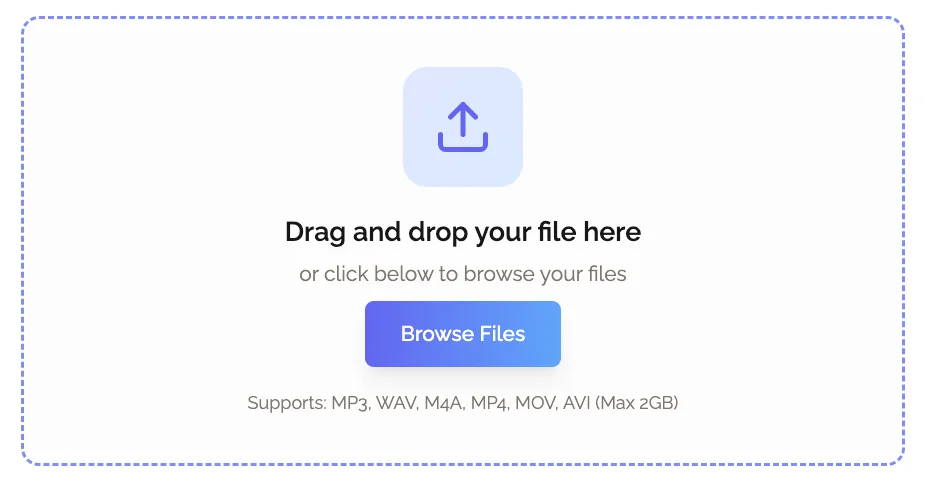
Upload-based workflow, not calendar access. The tool should accept audio or video file uploads rather than requiring calendar integration or bot-based joining. This eliminates the calendar access issue and allows healthcare teams to control exactly which meetings are processed.
No bot joining meetings. The tool should never appear as a participant in calls. Healthcare staff should be able to record meetings using their organization's approved platform (Microsoft Teams, Zoom for Healthcare) and upload the recording separately.
HIPAA-compatible data handling. The vendor should offer or support BAA execution for meetings that involve PHI. Data should be handled and stored in a manner consistent with HIPAA Security Rule requirements.
No persistent calendar or contact data. The tool should not store or process calendar data, contact lists, or organizational directory information. Processing should be limited to the specific recordings you choose to upload.
Predictable, controllable pricing. Healthcare teams working within budget constraints need pricing they can predict and control. Per-meeting pricing is more appropriate than subscription models for most use cases, because meeting volume varies significantly by department and month.
Simple workflow. The tool needs to work for clinical administrators, not just tech-savvy users. The upload-and-review workflow should require no technical configuration or ongoing maintenance.
HIPAA Compliance Checklist for AI Transcription Tools
Before deploying any AI transcription tool for healthcare team meetings, validate it against these criteria:
Data handling:
- Does the vendor offer a Business Associate Agreement (BAA) for meetings involving PHI?
- Is data stored on HIPAA-eligible infrastructure (e.g., AWS GovCloud, Azure Government, or equivalent)?
- Does the vendor publish a clear data retention policy specifying how long recordings and transcripts are stored?
- Can you request deletion of specific recordings and transcripts?
- Is audio encrypted in transit and at rest?
Access and authentication:
- Does the tool require calendar integration? (If yes, this is typically a disqualifier for healthcare environments.)
- Does the tool join meetings as a bot participant? (If yes, verify your organization's meeting platform policies before proceeding.)
- Does the tool access organizational directory, contact, or communication data beyond the recordings you submit?
Vendor security posture:
- Has the vendor completed a SOC 2 Type II audit?
- Does the vendor have documented security incident response procedures?
- Has the vendor completed a HIPAA Risk Assessment?
Workflow controls:
- Can you limit which staff members have access to specific transcripts?
- Does the tool provide audit logs showing who accessed which transcripts?
- Is access protected by SSO or strong authentication?
Not every healthcare team meeting requires the same level of scrutiny. Administrative team meetings that contain no PHI have a lower compliance burden than case conferences that discuss patient care. Apply this checklist in proportion to the sensitivity of the meetings you are recording.
Top 6 AI Transcription Tools for Healthcare Team Meetings
1. KenzNote - Best for Healthcare Staff and Care Coordination Meetings
KenzNote was designed around the upload-based model that fits healthcare security requirements. There is no bot, no calendar access, and no subscription commitment. You record meetings using your organization's approved platform, upload the file, and receive a full transcript and AI summary.
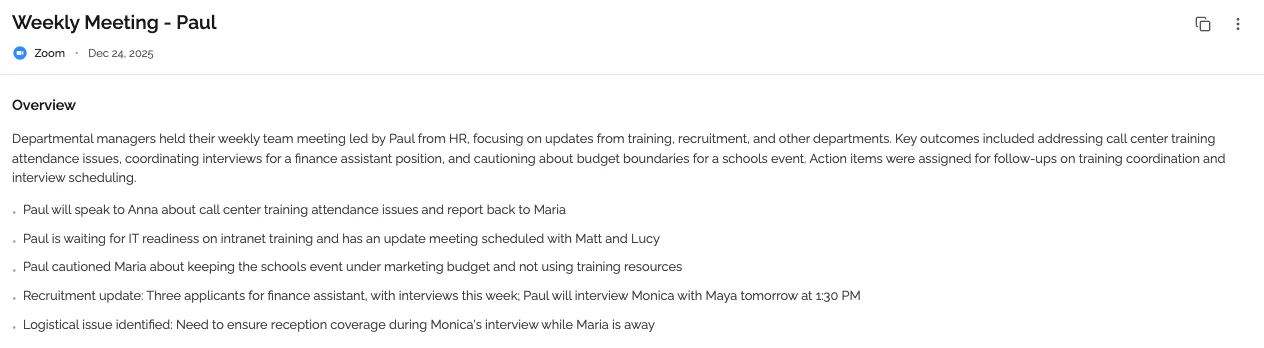
How it works for healthcare teams: A charge nurse records a shift handoff call using Microsoft Teams' built-in recording feature. She downloads the recording and uploads it to KenzNote. Within minutes, she has a full transcript and an AI-generated summary with action items. The recording never involved an external bot, and the organization's calendar data was never touched.
Pricing: $0.99 per meeting. No monthly subscription. You pay only for the meetings you process.
What you get per meeting:
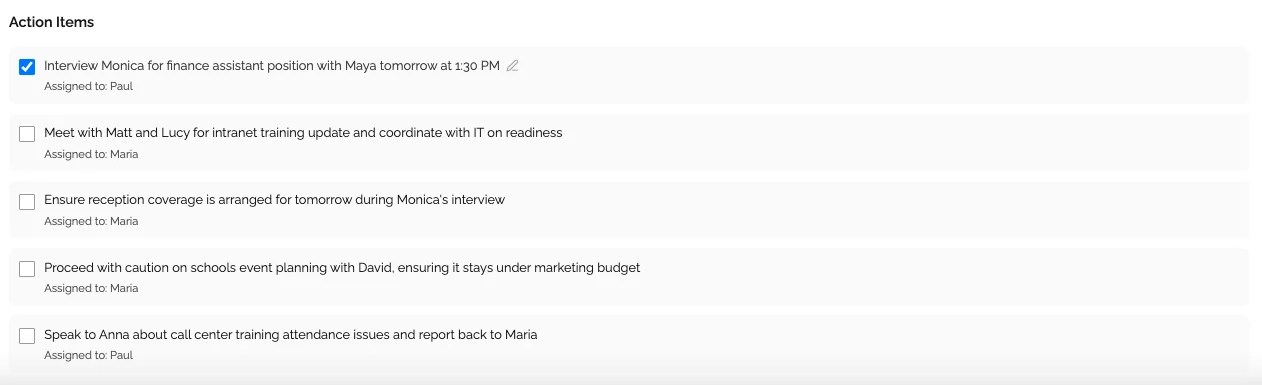
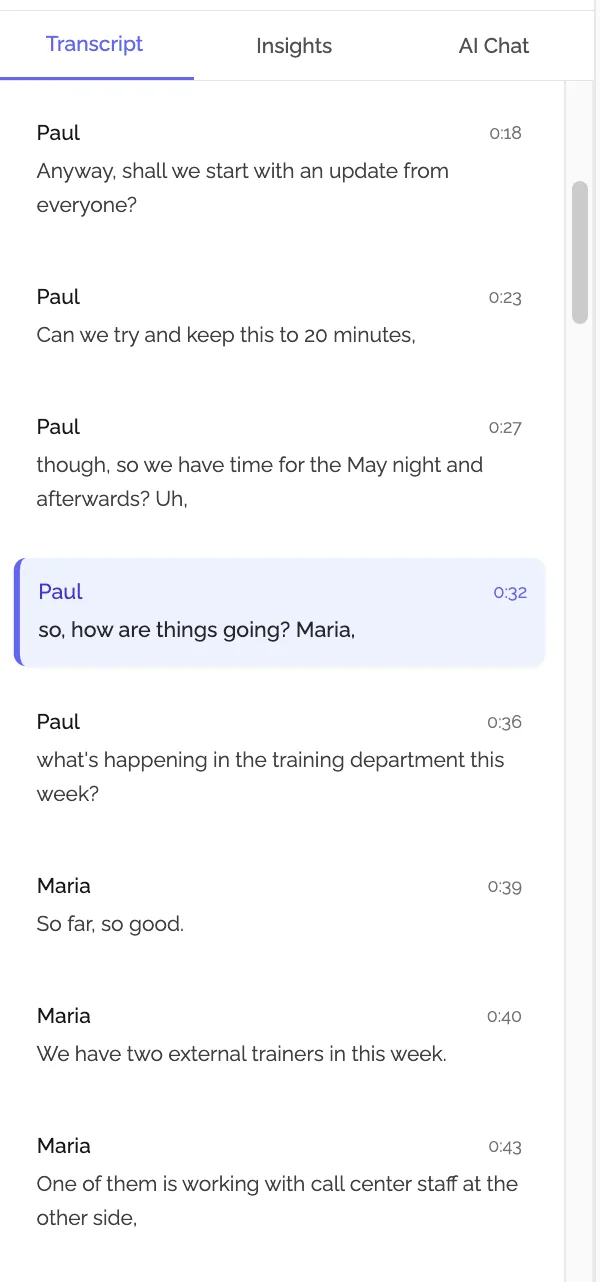
- Full verbatim transcript with speaker identification
- AI-generated summary and key points
- Action items extracted automatically
- Permanent access to transcript and notes (no expiration)
- Export available in multiple formats
Healthcare fit: Upload-based workflow aligns with IT security policies that block calendar integration and meeting bots. No calendar access required. Per-meeting pricing is budget-friendly for departments with variable meeting volumes.
HIPAA note: For meetings involving PHI, contact KenzNote to discuss BAA availability before processing clinical content.
2. Otter.ai for Business - Established Tool with Healthcare-Grade Plans
Otter.ai is one of the most widely used AI meeting transcription tools in the market. For healthcare-specific use, Otter.ai's enterprise plans support BAA execution and HIPAA-eligible data handling, features that are not available on standard plans.
Healthcare-relevant features: Real-time transcription during meetings (with meeting bot), post-meeting upload processing, speaker identification, AI summaries, and collaborative note editing. Enterprise plans include SSO, admin controls, and BAA support.
Pricing: Business plans from $20/user/month. Enterprise (HIPAA-eligible, BAA support) requires custom pricing negotiation.
Limitations for healthcare: The standard meeting bot model may conflict with healthcare IT security policies. Verify your organization's meeting platform configuration before deploying the bot. The upload-only workflow (without the bot) is available but requires manual process discipline from users. Enterprise pricing can be prohibitive for smaller departments.
Best for: Larger healthcare organizations with IT resources to complete a security review, negotiate a BAA, and configure enterprise-grade controls.
3. Microsoft Copilot for Teams - Native Integration for Microsoft Environments
If your healthcare organization is already on Microsoft 365, Teams Copilot provides AI meeting notes as a native feature within the platform your staff already uses. Because the data stays within your Microsoft tenant, data residency and security concerns are handled through your existing Microsoft enterprise agreements.
Healthcare-relevant features: AI-generated meeting summaries, action item extraction, and meeting recaps that stay within your Microsoft environment. HIPAA-eligible processing available through Microsoft's HIPAA Business Associate Agreement, which Microsoft offers as part of its standard enterprise agreements.
Pricing: Included in Microsoft 365 Copilot licenses, from $30/user/month on top of existing Microsoft 365 licensing.
Limitations: Only works for Teams meetings. Requires Microsoft 365 Copilot licensing, which adds significant per-user cost. Feature quality varies: meeting notes are useful but less detailed than specialized tools. Requires IT configuration and rollout.
Best for: Healthcare organizations already standardized on Microsoft 365 that want AI meeting notes without introducing a new vendor or data flow.
4. Zoom AI Companion - Built-In Option for Zoom for Healthcare Users
Healthcare organizations using Zoom for Healthcare (Zoom's HIPAA-eligible offering) can access Zoom AI Companion as a native meeting intelligence feature. Like Microsoft's option, this keeps data within an already-approved infrastructure.
Healthcare-relevant features: AI meeting summaries, action item extraction, and meeting recaps generated within the Zoom for Healthcare environment. HIPAA coverage is extended through Zoom's existing BAA for Healthcare customers.
Pricing: Included in Zoom licenses for paid accounts. Zoom for Healthcare requires separate licensing arrangements.
Limitations: Only works for Zoom meetings. Feature depth is more limited than standalone AI transcription tools. Not available as a standalone product: requires active Zoom for Healthcare licensing.
Best for: Healthcare teams already using Zoom for Healthcare who want basic AI meeting notes without evaluating additional vendors.
5. Transgate - Best for Multilingual Healthcare Teams and High-Accuracy Transcription
Transgate is a purpose-built AI transcription and translation platform that stands out in healthcare environments for two reasons: its HIPAA-compliant architecture is built in from the ground up, not bolted on as an enterprise add-on, and its support for 50+ languages makes it the strongest choice for healthcare organizations serving diverse patient populations or coordinating with international clinical teams.
How it works for healthcare teams: Upload an audio or video recording of your care coordination call, MDT meeting, or department sync. Transgate processes it with 98% accuracy, returns a full transcript with AI-generated summaries and highlights, and lets you chat with the transcript to retrieve specific information quickly. No bot joins the meeting, no calendar access is required.
Pricing: Pay-as-you-go model (ideal for variable meeting volumes), with Premium and Business subscription tiers for higher-volume teams. Free trial includes 20 minutes of transcription with no credit card required.
What you get per meeting:
- Full transcript with 98% accuracy across medical terminology
- AI-generated summaries and key highlights
- Direct audio-to-translated text (50+ languages)
- Chat interface to query transcript content
- Secure storage with encryption at rest and in transit
YouTube transcription highlight: Transgate's YouTube Video Analysis feature is a standout for healthcare educators, medical trainers, and public health teams. Paste any YouTube URL and Transgate instantly transcribes the video, extracts timestamped highlights, and generates a summary or publish-ready content in under 30 seconds. No downloads, no file uploads. This is particularly useful for healthcare organizations that share training content, conference recordings, or public health briefings via YouTube and need searchable transcripts for staff. Currently free during beta with no credit card required.
Healthcare fit: Transgate explicitly targets the healthcare sector, with HIPAA-compliant data handling and GDPR compliance baked into the platform. SSL-secured with strong encryption standards. The pay-as-you-go model suits departments with unpredictable meeting volumes, and the multilingual capability is uniquely valuable for care coordination across language barriers.
Why healthcare teams love it: The combination of high transcription accuracy, native translation, YouTube analysis, and built-in compliance makes Transgate particularly effective for large health systems with diverse staff, community health organizations serving non-English-speaking populations, and international telehealth programs. The free trial lowers the barrier to getting started.
HIPAA note: Transgate offers HIPAA-compliant processing. Verify current BAA terms and data handling documentation directly with Transgate before processing PHI.
6. Whisper-Based Local Transcription - Maximum Privacy for Sensitive Meetings
For meetings with the highest sensitivity: executive strategy sessions, performance conversations, peer review discussions: open-source local transcription via OpenAI's Whisper model offers a path where no data ever leaves the organization's own systems.
How it works: Audio is recorded and processed entirely on local hardware or on-premises servers. No cloud upload, no external processing, no third-party data handling. Transcription quality is high, as Whisper is among the strongest speech recognition models available.
Pricing: Free (open-source). IT implementation time required for setup and maintenance.
Limitations: Requires IT resources to implement and maintain. No AI summaries or action item extraction out of the box (transcription only). Speaker identification requires additional configuration. Not suitable for non-technical users without a well-packaged implementation.
Best for: Healthcare IT teams with the capacity to implement self-hosted transcription for the most sensitive meeting categories.
Healthcare AI Meeting Transcription Comparison Table
| Tool | Bot Required | Calendar Access | HIPAA BAA | Pricing | Best For |
|---|---|---|---|---|---|
| KenzNote | No | No | Contact for BAA | $0.99/meeting | Staff meetings, care coordination, budget-conscious teams |
| Otter.ai Enterprise | Optional | Optional | Yes (enterprise) | Custom pricing | Large organizations with IT resources |
| MS Copilot for Teams | No | Microsoft 365 only | Yes (MS enterprise) | $30/user/mo add-on | Microsoft 365 healthcare environments |
| Zoom AI Companion | No | Zoom only | Yes (Zoom Healthcare) | Included in Zoom | Zoom for Healthcare users |
| Transgate | No | No | Yes (built-in) | Pay-as-you-go + subscriptions | Multilingual teams, high-accuracy needs, diverse populations |
| Whisper Local | No | No | N/A (on-premises) | Free + IT setup | High-sensitivity meetings, IT-equipped organizations |
Use Cases: Where AI Transcription Adds the Most Value in Healthcare
Case Conferences and Multidisciplinary Team (MDT) Meetings
MDT meetings bring together physicians, nurses, care coordinators, social workers, pharmacists, and other specialists to discuss complex patients. These meetings are information-dense, involve multiple speakers, and produce decisions that affect patient care plans.
Without transcription, the outcome of an MDT meeting depends entirely on someone's manual notes or memory. With AI transcription, the team has a full record of what was discussed, what was decided, and who is responsible for which follow-up actions. For care coordinators managing complex patients across multiple care settings, this record is invaluable.
Workflow: Record the MDT meeting using Microsoft Teams or Zoom. Upload the recording to KenzNote (or your chosen tool). Share the AI summary and action items with all team members. Archive the full transcript for reference.
Care Coordination Calls
Care coordination calls between hospitals and post-acute facilities, skilled nursing facilities, home health agencies, and rehabilitation centers involve handoffs of patient information that must be accurate. These calls often happen under time pressure, with multiple parties on the line, and the decisions made have direct patient safety implications.
AI transcription provides a ground-truth record of what was communicated, what was agreed upon, and what was pending. When a patient arrives at a facility and the receiving team says "no one told us about the medication change," the transcribed care coordination call provides immediate clarity.
Nursing Shift Handoffs
Structured verbal handoffs are the primary communication mechanism between nursing shifts in most hospitals. The quality and completeness of handoff communication is directly linked to patient safety outcomes. AI transcription of shift handoffs creates an auditable record that can be referenced when questions arise about what information was transferred.
For charge nurses managing multiple patients across a shift handoff, having a transcribed record of what each nurse reported removes the memory burden and reduces the risk of information loss.
Administrative Department Meetings
Not every healthcare meeting involves patient information. Department heads, nurse managers, quality improvement teams, and administrative staff hold dozens of planning and coordination meetings each month that produce decisions, action items, and process changes.
Without proper documentation, these decisions get lost. The quality improvement committee decided to change a protocol six weeks ago, but three team members remember it differently and no one can find the original notes. AI transcription eliminates this problem at a cost of less than $1 per meeting.
Telehealth Team Coordination and Admin Syncs
Telehealth programs involve distributed teams coordinating across locations, shifts, and specialties. Team sync meetings for telehealth programs often cover scheduling, protocol updates, technical issues, and process improvements. The distributed nature of telehealth teams makes reliable documentation even more important: there is no hallway to catch someone in and clarify what was decided.
Implementation Tips for Healthcare Teams
Start with non-clinical administrative meetings. If you are introducing AI transcription to a healthcare department for the first time, begin with meetings that contain no PHI. Administrative planning meetings, departmental all-hands, and protocol review sessions are good starting points. This lets your team build comfort with the workflow before applying it to more sensitive meeting types.
Establish a recording consent policy. Before deploying any transcription tool, work with your legal and compliance team to establish a clear policy for staff meeting recording. Most state laws require all-party consent for recorded meetings. Your policy should specify which meetings are recorded, how participants are notified, and how transcripts are accessed and stored.
Use your platform's native recording, not third-party bots. For healthcare environments, the safest recording path is your organization's approved meeting platform (Teams or Zoom for Healthcare). Record using the platform's built-in recording feature, download the file, and upload it to your transcription tool. This keeps the initial recording within your approved infrastructure.
Apply consistent naming conventions for uploaded recordings. When uploading meeting recordings, establish a naming convention that lets your team identify recordings quickly: department name, meeting type, and date. This makes it easy to locate specific transcripts when needed for reference or audit purposes.
Designate a meeting documentation coordinator. For clinical meetings that are transcribed, designate one person responsible for uploading the recording, reviewing the AI output for accuracy, and distributing the transcript and action items. Distributed responsibility leads to inconsistent execution.
Review AI output before distribution. AI transcription is highly accurate but not perfect. Medical terminology, proper names, and technical clinical language can produce transcription errors. Build a brief review step into your workflow before distributing transcripts widely, particularly for clinical content.
Frequently Asked Questions
Is this article about recording doctor-patient consultations?
No. This article covers staff meetings and team coordination: department meetings, case conferences, care coordination calls, MDT meetings, nursing handoffs, and administrative team syncs. AI transcription for clinical documentation (doctor-patient consultations, clinical notes) is an entirely different category of tool, governed by different workflows and compliance requirements. If you need clinical documentation AI, look at purpose-built clinical documentation tools designed for that use case.
Do HIPAA requirements apply to team meetings?
It depends on the content of the meeting. Administrative meetings that contain no patient information are not subject to HIPAA with respect to the meeting content itself, though general organizational security policies still apply. Meetings that involve discussion of specific patients: case conferences, care coordination calls, nursing handoffs: involve PHI and HIPAA requirements apply to how that information is recorded and stored.
Can I use consumer AI meeting tools like Otter.ai free or Fireflies free for healthcare staff meetings?
Using free consumer tiers of AI meeting tools for healthcare staff meetings is generally not advisable. Free tiers do not include BAA support, may store data on infrastructure that is not HIPAA-eligible, and typically do not provide the admin controls (access management, audit logs, deletion capabilities) that healthcare security policies require. For meetings with no PHI, the risk is lower, but the organizational security policy may still prohibit use of tools that have not completed a security review.
What is a Business Associate Agreement (BAA) and do I always need one?
A BAA is a legal contract between a healthcare organization and a vendor who handles PHI on the organization's behalf. It establishes that the vendor understands and will comply with HIPAA obligations for PHI handling. You need a BAA with any AI transcription tool that will process meetings containing PHI: including patient case discussions, care coordination calls, and nursing handoffs. For purely administrative meetings with no patient information, a BAA is not technically required for HIPAA purposes, though your security team may require one anyway based on organizational policy.
Can healthcare staff use KenzNote for case conferences that include patient information?
KenzNote's upload-based, no-calendar-access architecture aligns with healthcare IT security requirements. For meetings involving PHI, contact KenzNote before using the service to discuss BAA availability and to ensure the data handling meets your organization's specific requirements. Do not process PHI through any tool without confirming appropriate compliance coverage.
Why do most AI meeting tools not work in healthcare environments?
Most AI meeting tools were built for corporate sales, consulting, and technology companies where HIPAA compliance is not a requirement. Their bot-based architecture (which requires calendar access and joins meetings as a participant) conflicts with healthcare IT security policies. Their data storage infrastructure may not meet HIPAA Security Rule requirements. And they typically do not offer BAAs as a standard feature. Healthcare is a specialized environment with requirements the mainstream market was not designed to serve.
What is the difference between AI meeting transcription and clinical documentation tools?
AI meeting transcription tools capture what was said in team meetings and produce a text record with AI summaries. Clinical documentation tools, sometimes called ambient clinical intelligence or AI scribing tools, are designed to document the clinical encounter between a provider and a patient, producing structured clinical notes that feed directly into the EHR. They are purpose-built for the clinical workflow, deeply integrated with EHR systems, and operate under different regulatory frameworks. The two categories solve different problems and are not interchangeable.
How much does it cost to transcribe healthcare team meetings with AI?
Costs vary significantly by tool and model. KenzNote charges $0.99 per meeting with no subscription; a department holding 20 meetings per month would spend less than $20. Enterprise tools like Otter.ai Enterprise or Microsoft Copilot are priced per user per month, making costs dependent on team size. For a 10-person care coordination team, per-user subscription tools typically run $150 to $300 per month, compared to $15 to $25 per month with per-meeting pricing at typical healthcare team meeting volumes.
Related Resources
Want to improve documentation across all your meetings?
- AI Note Taker for Therapists - HIPAA-compliant AI tools built for therapy session documentation and mental health practices
- Automatic Meeting Notes - How AI note-taking works and when to use it across any team
- Meeting Minutes Templates - 10 free templates for every meeting type, from board meetings to standups
- AI Follow-Up Email After Meeting - Automate the follow-up that most teams forget
Ready to fix your healthcare team's meeting documentation?
Try KenzNote for your next department meeting or care coordination call. At $0.99 per meeting with no subscription, it is a zero-risk way to see how AI transcription fits your healthcare team's workflow.
Questions? Email [email protected] or visit our Help Center.
Last updated: May 2026. HIPAA compliance requirements can change and vary by context. Always consult your organization's compliance team and legal counsel before deploying AI tools for meetings that may involve protected health information.

About Muhammad Abuelenin
Muhammad is the co-founder of KenzNote, passionate about building tools that enhance productivity and collaboration. With expertise in full-stack development and AI-powered solutions, he's dedicated to helping teams work smarter through innovative technology.
Ready to transform your meetings?
KenzNote automatically captures meeting insights, extracts action items, and generates summaries so you can focus on the conversation instead of taking notes.
Try KenzNote Free