
Quick Answer
The best note taker app depends on your use case: AI meeting specialists (KenzNote, Otter.ai) for automatic transcription, all-rounders (Notion, Evernote) for general work notes, or knowledge systems (Obsidian, Roam) for research. Over 120 million Americans use note taking apps, with the market reaching $23.79 billion by 2029.
Modern AI-powered apps save 3-4 hours weekly through automatic transcription and summarization. 60% of apps now integrate AI features. For meetings, KenzNote offers pay-per-use pricing ($2/meeting) versus subscriptions. For general notes, Notion provides flexibility while Evernote excels at organization. Test 2-3 options for 1-2 weeks before committing.
Key Takeaways
- Use case drives choice: Meeting notes need AI specialists, general work needs all-rounders, research needs knowledge systems
- AI saves 3-4 hours weekly: Automatic transcription and summarization eliminate manual documentation burden for meeting notes
- Market growing rapidly: Note taking apps will reach $24 billion by 2029 as 120 million+ Americans use them
- 60% integrate AI now: Modern apps increasingly offer intelligent features like auto-summarization and action extraction
- Test before committing: Try 2-3 apps for 1-2 weeks to verify search quality and mobile experience
- 72% of usage is mobile: Don't skip mobile testing; most note-taking happens on phones and tablets
- Export capabilities matter: Verify export options before committing to avoid vendor lock-in and data loss
- KenzNote leads meeting notes: Pay-per-use pricing, automatic transcription, and AI summaries without subscription overhead
Note Taker App: The Complete Guide to Choosing the Right Tool in 2026
You reach for your phone during a meeting, fumbling to open an app while someone shares critical information. By the time you're ready to type, you've already missed the key point. Or maybe you're stuck with scattered notes across three different apps, and you can't find that important detail from last Tuesday's meeting.
Sound familiar?
Choosing the right note taker app isn't just about storing text. It's about finding a tool that matches how you work, captures information the way you need it, and makes that information findable when it matters most.
With the note taking app market projected to reach $23.79 billion by 2029, there's no shortage of options. This guide cuts through the noise and helps you choose the perfect tool for your needs in 2026.
What Is a Note Taker App?
Modern note taker apps do much more than store text:
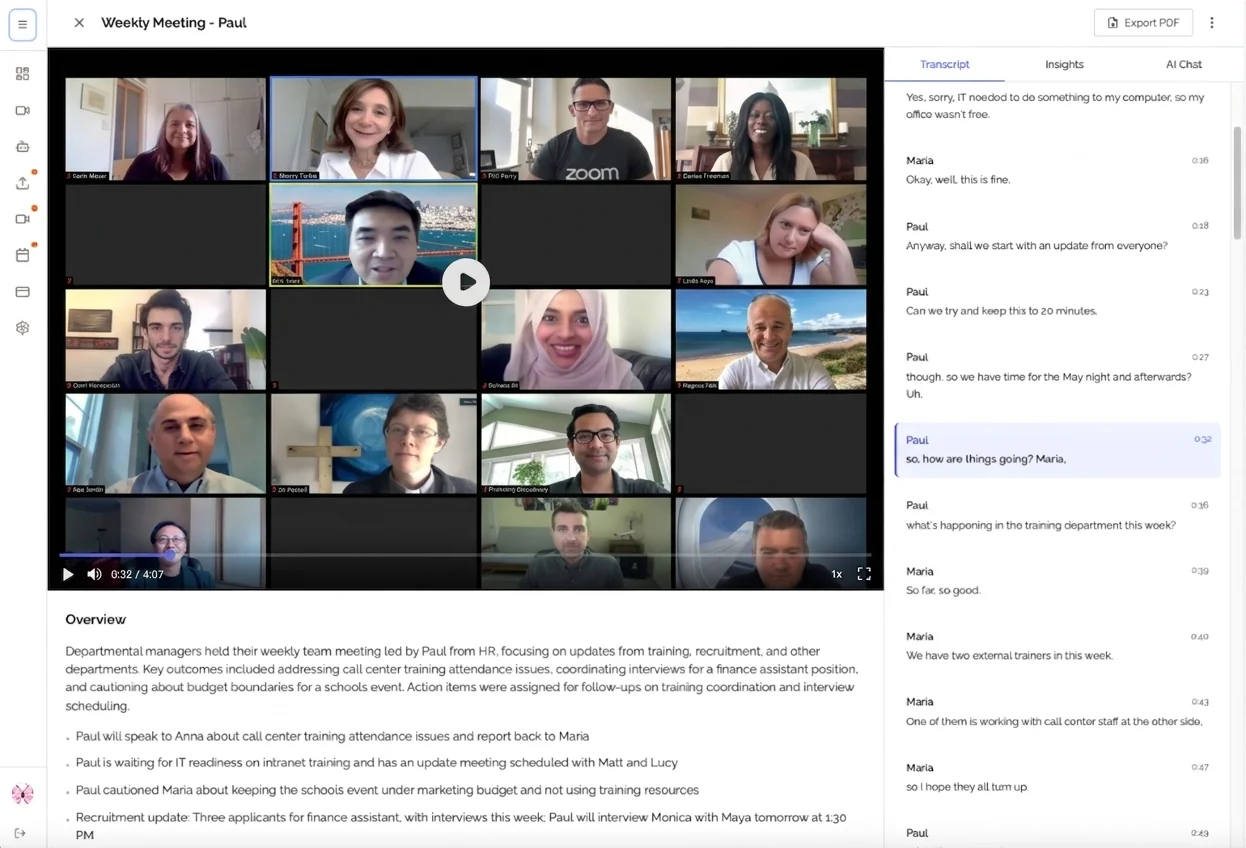
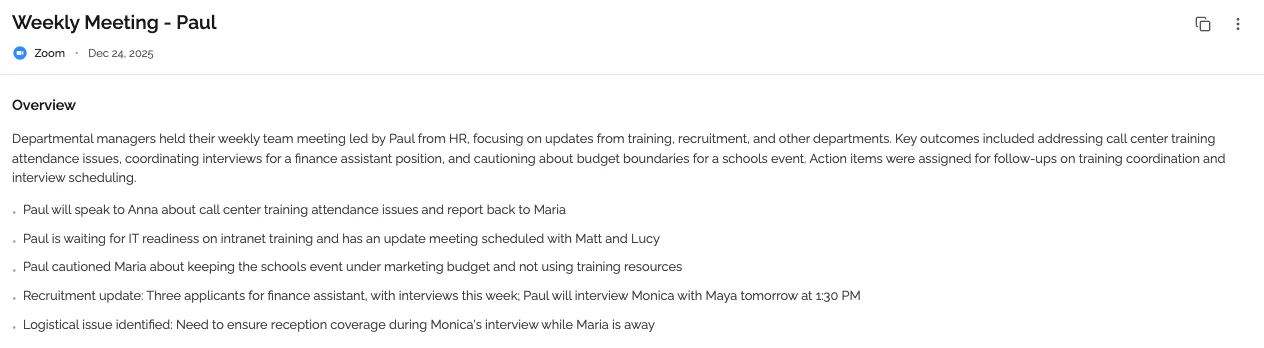
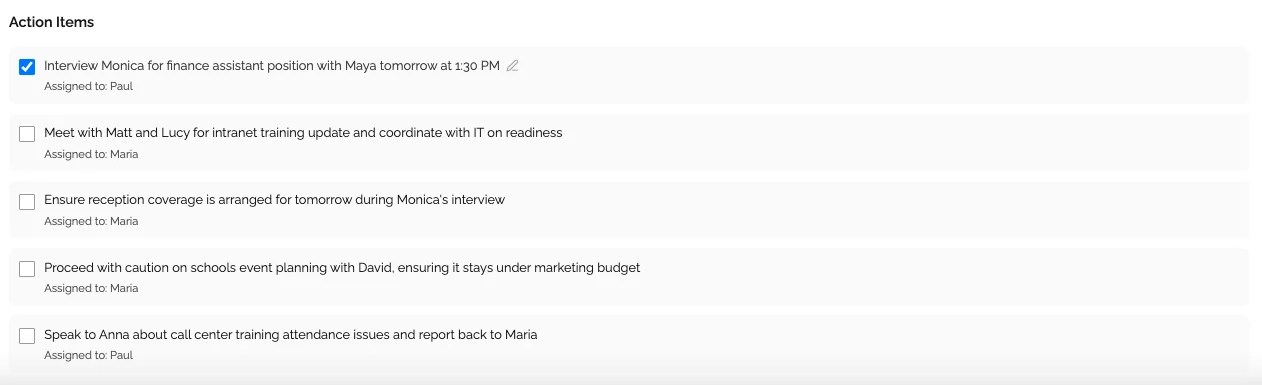
AI-Powered Meeting Note Takers (KenzNote, Otter.ai) offer automatic transcription, AI summaries, and action item extraction.
Traditional Digital Note Apps (Evernote, Notion) provide text-based creation with manual typing and folder organization.
Knowledge Management Systems (Obsidian, Roam Research) feature bidirectional linking and advanced search.
Handwriting Apps (GoodNotes, Notability) offer digital ink for natural handwriting on tablets.
The best choice depends on what kind of notes you're taking and how you work.
Why You Need a Note Taker App
Over 120 million Americans use note taking apps for work. Traditional manual note-taking costs 3-4 hours per week. Modern AI-powered tools eliminate this burden.
Key Benefits:
- Time savings: AI saves 3-4 hours weekly in note-taking tasks
- Better search: Find information in seconds with full-text search
- Team collaboration: Shared access transforms how teams work
- AI automation: 60% of apps now integrate AI summarization
Essential Features to Look for in a Note Taker App
Capture Speed: If opening your app takes more than 3 seconds, you'll miss critical information. Look for quick launch, voice-to-text, and minimal clicks.
Smart Organization: Notes you can't find are worthless. Essential: flexible folders, powerful tagging, full-text search, and customizable views.
Cross-Platform Sync: Your notes need to follow you everywhere. Must-have: real-time sync, offline access, and native apps for all platforms.
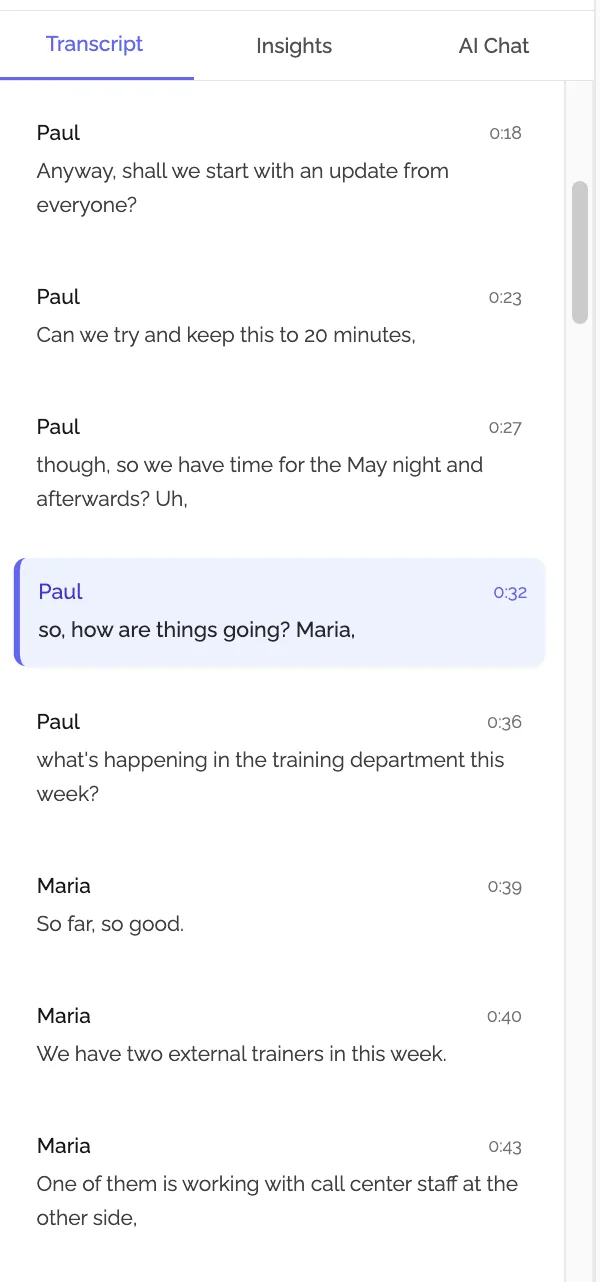
AI-Powered Intelligence: Modern AI saves hours through automatic transcription, AI summaries, smart categorization, and action item extraction. More than 75% of professionals now rely on AI-assisted note-taking.
Security and Privacy: Look for encryption in transit and at rest, two-factor authentication, data export capabilities, and GDPR compliance.
Top Note Taker Apps Compared
For Meeting Notes: AI Specialists
KenzNote
- Best for: Comprehensive meeting documentation
- Strengths: Automatic transcription, AI summaries, action items, no calendar integration required
- Pricing: Pay-per-meeting (no subscription)
- Just paste meeting link and get full documentation
Otter.ai
- Best for: Live transcription during meetings
- Strengths: Real-time transcription, speaker identification
- Pricing: Free tier available, $16.99/month (Business)
Fireflies.ai
- Best for: Sales teams and customer-facing roles
- Strengths: CRM integrations, conversation analytics
- Pricing: Free tier available, $10/month (Pro), $19/month (Business)
For General Note-Taking
Evernote
- Best for: Individuals who want everything in one place
- Strengths: Powerful organization, excellent web clipper, OCR search
- Pricing: $10.83/month (Personal), $14.17/month (Professional)
Notion
- Best for: Power users who want databases, not just notes
- Strengths: Incredibly flexible, great for teams, all-in-one workspace
- Pricing: Free tier available, $10/month (Plus), $18/month (Business)
For Knowledge Management
Obsidian
- Best for: Researchers building second brains
- Strengths: Local-first storage, bidirectional linking, graph view
- Pricing: Free for personal use, $50/year for commercial
Roam Research
- Best for: Academics who think in networks
- Strengths: Bidirectional linking, daily notes, outliner interface
- Pricing: $15/month or $165/year
Quick Comparison
| App | Best For | AI Features | Price Range | Mobile Support |
|---|---|---|---|---|
| KenzNote | Meeting notes | Excellent | Pay-per-use | Excellent |
| Otter.ai | Live transcription | Excellent | Free-$17/month | Excellent |
| Evernote | General notes | Limited | $10-14/month | Excellent |
| Notion | Teams & databases | Good | Free-$18/month | Good |
| Obsidian | Knowledge graphs | Minimal | Free-$50/year | Good |
How to Choose the Right Note Taker App
Define Your Use Case:
- Meetings and calls: AI specialists (KenzNote, Otter.ai, Fireflies.ai)
- General work notes: All-rounders (Notion, Evernote)
- Study and research: Knowledge tools (Obsidian, Roam)
Test Before Committing: Try 2-3 options for 1-2 weeks. Test capture speed, search effectiveness, and sync reliability.
Calculate True Cost: KenzNote ($50/year), Notion ($120/year), Evernote ($130/year), Obsidian (free personal, $50/year commercial).
Common Mistakes to Avoid
Avoid choosing based on features you'll never use. Don't skip mobile testing (72% of note-taking happens on mobile). Verify export capabilities before committing. Don't underestimate AI value (saves 3-4 hours weekly).
Frequently Asked Questions
What's the difference between a note taker app and a task manager?
Note taker apps capture information. Task managers track what needs to be done. Best practice: Use a note app for documentation, then extract action items to your task manager.
Can AI note taker apps replace human note-taking?
For meetings, AI captures 95%+ of content automatically. However, humans excel at understanding context. Best approach: Let AI handle transcription, humans add interpretation.
Should I use one app or multiple tools?
Many experts use 2-3 tools: one for quick capture, one for knowledge management, and one for meetings (KenzNote, Otter.ai). Start with one app and add others only when needed.
Conclusion: Choose Your Note Taker App Today
The right note taker app transforms how you capture, organize, and use information, saving hours weekly.
Quick Decision Guide:
- Define your use case (meetings, general notes, research)
- Test 2-3 options for 1-2 weeks
- Evaluate search quality and mobile experience
- Verify export options to avoid lock-in
Top recommendations for 2026:
- Meeting notes: KenzNote (AI automation, pay-per-use) or Otter.ai
- General notes: Notion (flexibility) or Evernote (organization)
- Knowledge management: Obsidian (local-first) or Notion (cloud-based)
The note-taking app market will hit $24 billion by 2029 because these tools genuinely transform productivity.
Ready to Transform Your Meeting Documentation?
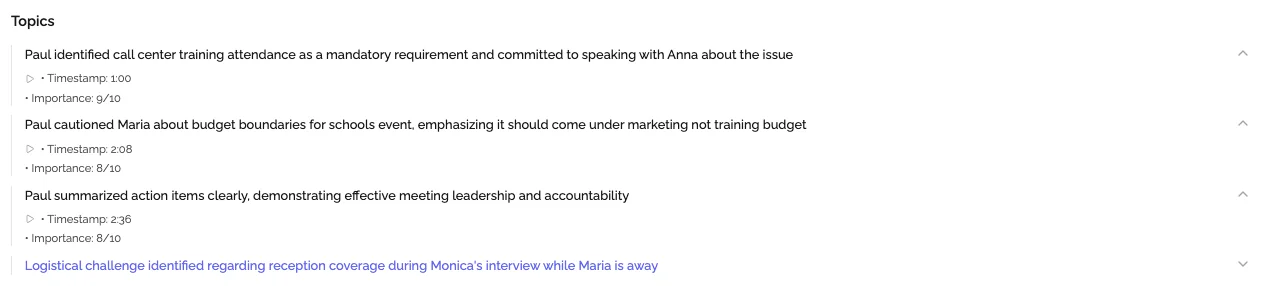
AI-powered meeting assistants handle everything automatically. KenzNote captures full transcripts, generates summaries, and extracts action items without manual note-taking.
What you get:
- Automatic transcription with speaker identification
- AI-extracted action items and decisions
- Structured summaries and searchable archive
- Pay-per-meeting pricing (no subscription)
Just paste your meeting link and focus on the conversation.
Try KenzNote free for your next meeting and experience AI meeting documentation.
Related Resources
- AI Meeting Notes: Complete Guide
- How to Organize Meeting Notes: 7 Proven Strategies
- Never Take Meeting Notes Again
- Getting Started with KenzNote
Sources
References & Citations
- [1]Note Taking App Market Size, Share, Trends, Scope & ForecastVerified Market Research. January 1, 2025https://www.verifiedmarketresearch.com/product/note-taking-app-market/
- [2]Note Taking App Market Growth Analysis - Size and Forecast 2024-2028Technavio. January 1, 2024https://www.technavio.com/report/note-taking-app-market-industry-analysis
All external sources have been reviewed for accuracy and relevance. Last verified: September 2026.

About KenzNote Team
The KenzNote team is dedicated to helping teams capture better meeting insights and transform how they collaborate. With backgrounds in AI, product design, and enterprise software, we're building the future of meeting productivity.
Ready to transform your meetings?
KenzNote automatically captures meeting insights, extracts action items, and generates summaries so you can focus on the conversation instead of taking notes.
Try KenzNote Free