
Quick Answer
AI meeting notes tools transcribe your client sessions, extract action items, and generate client-ready summaries, cutting post-meeting documentation from 45 to 90 minutes down to under 10.
For consultants, the critical requirement is confidentiality: you need a tool that does not send a bot into your client calls and does not require calendar access that exposes your full client roster.
KenzNote is the strongest fit for consulting work: $0.99 per meeting, upload-based workflow, no bot joins your sessions, no calendar connection required, and your client conversations stay between you and your client.
Key Takeaways
- Post-meeting documentation takes 45 to 90 minutes per session for a typical client engagement without AI assistance
- AI reduces that to 10 to 20 minutes by handling transcription, structure, and initial synthesis automatically
- Bot-based tools create real NDA risk when an uninvited third-party participant appears in sensitive client calls
- Upload-based tools like KenzNote give you explicit control over which sessions get sent for AI processing
- Consulting clients in regulated industries (finance, healthcare, legal, government) often have data governance policies that block bot-based tools entirely
- KenzNote costs $0.99 per meeting with no subscription, no calendar integration required, and no bot joining your calls
- Client-ready summaries, action items, and decisions logs are deliverable from AI output with light editing
- Billable hours documentation improves significantly with timestamped, retrievable session records
Table of Contents
- The Consulting Meeting Documentation Problem
- What Consultants Specifically Need From an AI Notes Tool
- How AI Changes the Consulting Documentation Workflow
- Step-by-Step Consulting Workflow With AI Meeting Notes
- AI Meeting Notes Tools Reviewed for Consulting Use
- AI Meeting Notes Comparison Table for Consultants
- Specific Use Cases for Consultant AI Notes
- Tips for Consultant-Specific AI Notetaking
- Frequently Asked Questions
- Related Resources
How to Use AI Meeting Notes for Consulting Work (Complete Guide 2026)
Every consulting engagement runs on meetings. Discovery sessions, weekly updates, stakeholder workshops, client presentations, retrospectives. Each one generates a documentation obligation that extends well beyond the time the meeting takes.
If you are running three to five active engagements, that obligation compounds fast.
This guide breaks down how AI meeting notes tools work for consulting specifically, why the confidentiality requirements are different from internal team use, and which tools actually hold up under client-facing conditions.
The Consulting Meeting Documentation Problem
Consulting work is meeting-intensive by nature. A typical engagement involves discovery sessions, weekly project updates, stakeholder workshops, client presentations, and retrospectives. Each one generates a documentation obligation that extends well beyond the meeting itself.
Independent consultants and firm consultants face the same core challenge: every client meeting produces work that needs to be captured, organized, and acted on, and that documentation obligation multiplies across every active engagement.
Consider what happens after a two-hour client discovery session. You need to capture:
- Everything the client told you about their current state and pain points
- The questions you asked and the answers you received
- Any decisions made in the room
- Action items for both sides
- Deliverables to commit to and timelines discussed
- Key quotes that might appear in your report
Doing this from memory is unreliable. Doing it from handwritten notes is time-consuming and incomplete. For a consultant running three to five active engagements, this documentation burden compounds quickly, often consuming 30 to 40% of non-billable hours each week.
📊 Fact Box: The Consulting Documentation Burden
- Consultants spend 30 to 40% of non-billable hours on meeting documentation
- A two-hour discovery session generates 45 to 90 minutes of post-session documentation work
- 73% of professionals forget meeting decisions within 48 hours without documentation
- Accurate meeting records are the primary evidence in scope and billing disputes
Sources: McKinsey Productivity Study, Atlassian Meeting Report
The Billing Documentation Layer
There is an additional pressure unique to consulting: billable hours documentation. Your notes are not just a record of what was discussed; they are the evidence base for invoices. When a client questions a billing line item, well-documented meeting notes with timestamps are your protection. When a project scope dispute arises, detailed session records clarify what was agreed and when.
Consultants working on time-and-materials engagements need accurate, retrievable records of every client interaction. AI meeting notes tools make this systematic rather than aspirational.
What Consultants Specifically Need From an AI Notes Tool
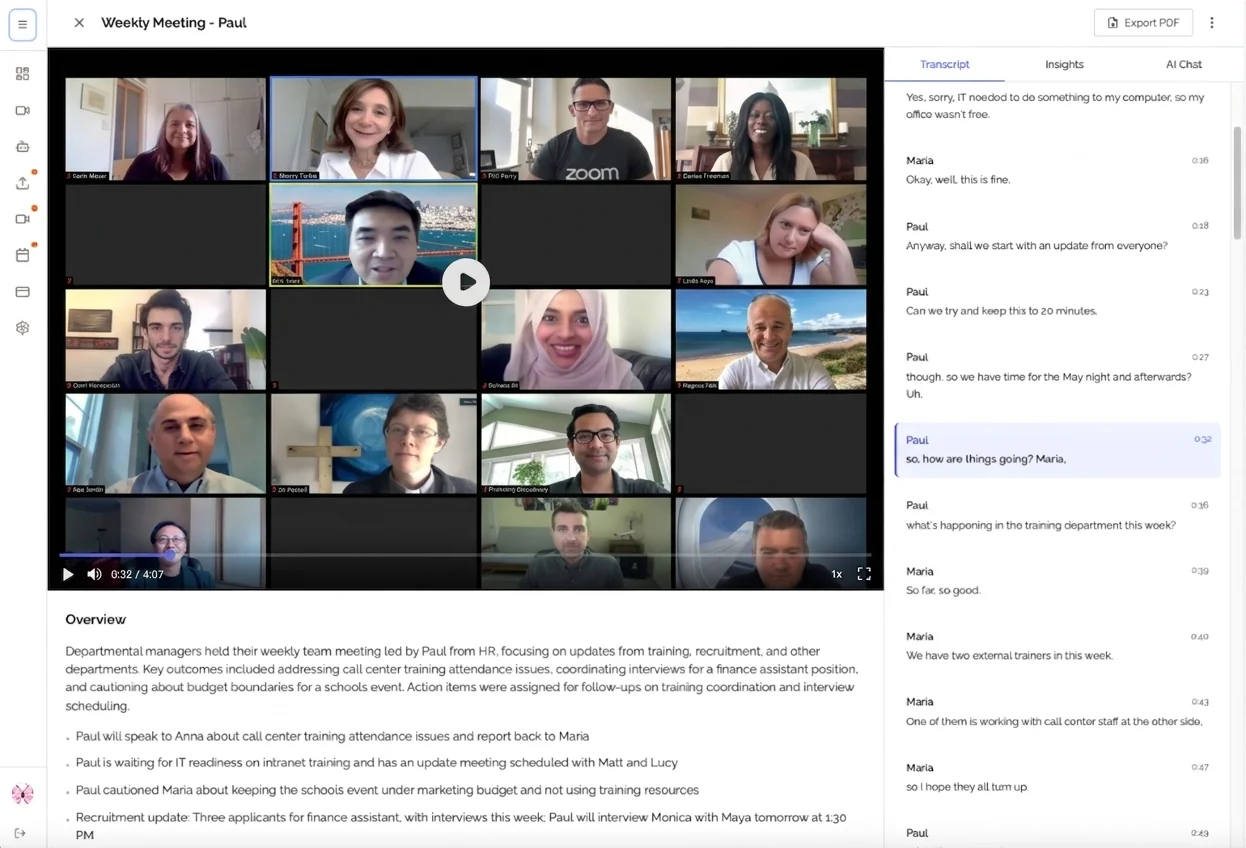 Upload-based tools keep you in control: only the sessions you choose get processed.
Not all AI meeting notes tools are built for consulting work. General-purpose tools designed for internal team meetings miss the specific requirements that make a tool actually usable with external clients.
NDA and Confidentiality Compliance
Most enterprise clients require NDAs before any substantive work begins. Those NDAs typically cover all client information shared in meetings: strategy, financials, personnel matters, competitive intelligence. When you use an AI meeting notes tool, you are processing that information through a third-party service. That matters legally and ethically.
The bot problem is particularly acute for consultants. Tools that send a recording bot into your meetings create a visible, uninvited third party in your client session. Your client did not agree to have their confidential discussions processed by Fireflies' servers or Otter's platform; they agreed to work with you. A recording bot surfacing in the participant list during a sensitive strategy session is not just awkward; it may constitute an NDA violation, depending on the agreement language and jurisdiction.
This is not theoretical. Consulting clients in financial services, healthcare, legal, and government contracting routinely have data governance policies that restrict which third parties can receive their information. A bot-based AI tool may disqualify you from working with these clients entirely.
Client-Ready Output Formats
Consultant meeting notes serve a different purpose than internal team notes. Your documentation often goes directly to the client: shared as meeting minutes, incorporated into status reports, or referenced in deliverable documentation. You need AI output that is professional and clean without extensive reformatting.
The best AI tools for consultants produce:
- Executive summaries suitable for client distribution
- Action items with clear owner and due date attribution
- Decisions log capturing what was agreed and by whom
- Open issues tracking unresolved questions
- Next steps framing that matches professional consulting deliverable language
Multi-Client Context Management
Consultants manage parallel engagements, each with distinct terminology, stakeholders, and project contexts. A useful AI notes workflow keeps client contexts cleanly separated: no cross-contamination of client data, clear attribution of each session to the correct engagement, and easy retrieval when you need to reference past discussions.
Deliverable and Action Item Extraction
A significant portion of consulting work involves tracking commitments made in meetings. The consultant committed to delivering a gap analysis by Friday. The client committed to providing system access by Wednesday. The workshop surfaced ten recommendations that need to be prioritized. AI tools that extract and structure these commitments automatically save significant time and reduce the risk of missed deliverables.
Billable Hours Documentation
Accurate, timestamped records of client sessions support billing accuracy and dispute resolution. AI-generated meeting notes with metadata (session date, duration, participants) create an audit trail that handwritten notes rarely provide.
How AI Changes the Consulting Documentation Workflow
Before AI tools, post-meeting documentation for consultants followed a predictable and painful pattern: review notes, fill in gaps while memory was fresh, organize by topic, draft action items, write up decisions, and eventually produce something suitable to share. For a two-hour discovery session, this easily took 90 minutes.
AI meeting notes tools collapse this workflow.
What changes: The AI handles transcription, structure, and initial synthesis. Instead of producing documentation from scratch, the consultant reviews and refines AI output, which is a much faster process than creating from zero.
What remains the consultant's job: Judgment. Deciding which items are genuinely important versus conversational. Ensuring the summary accurately reflects the strategic significance of what was discussed. Editing AI language to match the client's terminology and your firm's voice. Adding context that the AI cannot infer from the transcript.
The honest framing: AI does not eliminate post-meeting work. It reduces it from 60 to 90 minutes to 10 to 20 minutes for a typical client session.
| Documentation Task | Without AI | With AI | Time Saved |
|---|---|---|---|
| Transcription | 45 min | 0 min | 45 min |
| Structuring notes | 20 min | 5 min | 15 min |
| Extracting action items | 15 min | 2 min | 13 min |
| Drafting client summary | 20 min | 8 min | 12 min |
| Total per session | 100 min | 15 min | 85 min |
Step-by-Step Consulting Workflow With AI Meeting Notes
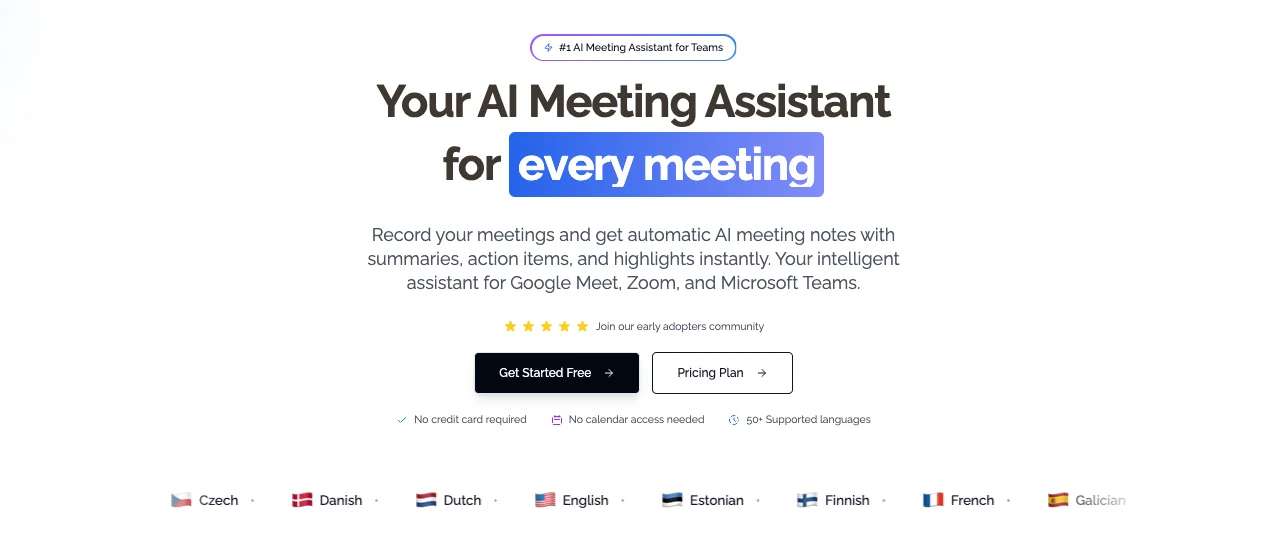 KenzNote dashboard: your sessions are processed and ready for review within minutes of upload.
Step 1: Record the Meeting Yourself
Do not use a bot-based tool that joins as a participant. Instead, use your meeting platform's built-in recording feature: Zoom's local recording, Google Meet's recording to Drive, or Teams' recording to SharePoint. This keeps recording control with you, ensures participants receive standard platform notifications, and means no third-party application is joining your client session as an uninvited participant.
For in-person workshops or on-site sessions, a dedicated audio recorder or your phone's voice memo app captures the audio. Upload-based AI tools like KenzNote accept any audio or video file; you are not limited to video call recordings.
Important: Always inform participants that the session is being recorded before you begin. This is both legally required in most jurisdictions and professionally appropriate. The fact that you are recording for your own documentation does not exempt you from this disclosure obligation.
Step 2: Upload to Your AI Notes Tool
After the session ends, upload your audio or video file to your AI notes platform. With an upload-based tool like KenzNote, this is the only step where your client audio touches a third-party service, and it happens after the meeting, under your control, for meetings you specifically choose to process.
This is a meaningful distinction from bot-based tools, which automatically process every meeting on your calendar. Upload-based tools give you explicit control over which sessions get sent for AI processing, relevant when some client conversations should not leave your local environment regardless of NDA status.
Processing time for a one-hour meeting is typically two to five minutes.
Step 3: Extract Deliverables and Commitments
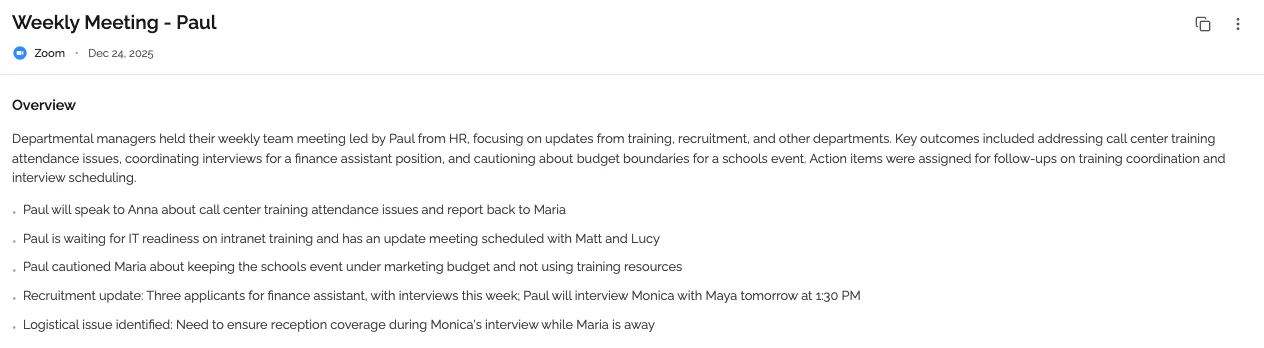 Action items, decisions, and open issues are extracted automatically, ready for your engagement tracker.
Review the AI-generated output with a specific focus on deliverables and commitments. Most AI tools will surface action items, but your job as the consultant is to verify completeness and accuracy.
Create a structured commitment log for each session:
- Consultant commitments: What you agreed to deliver and when
- Client commitments: What the client agreed to provide and when
- Shared decisions: What was agreed on by both parties
- Open items: Questions raised but not resolved
This deliverable tracking layer is the foundation of professional consulting engagement management and the documentation you will reference when scoping change orders or responding to scope disputes.
Step 4: Generate the Client-Facing Summary
Draft your client communication using the AI summary as a starting point. Most professional consultants send meeting minutes or session recaps within 24 to 48 hours of a client meeting. AI-generated summaries make this standard practice feasible even when you are running multiple engagements simultaneously.
Edit the AI output for:
- Client-specific terminology and language preferences
- Appropriate level of formality for the relationship
- Accuracy on strategic nuances the AI may have flattened
- Removal of any internal observations not intended for client distribution
A well-structured client summary typically includes: session recap (2 to 3 sentences), decisions made, action items (owner, due date), and confirmed next meeting or milestone.
Step 5: File and Reference
Store processed session notes in your engagement management system, whether that is a dedicated consulting CRM, a project folder in your document management system, or a client-specific workspace in your notes platform. Consistent filing makes it retrievable when you need it for billing reconciliation, deliverable tracking, or engagement retrospectives.
AI Meeting Notes Tools Reviewed for Consulting Use
1. KenzNote - Best for Client Confidentiality
KenzNote is built on an upload-based model specifically designed to keep sensitive meetings private. You record your own session, upload the file, and receive a full transcript, AI summary, and action items. No bot joins your meetings. No calendar connection required. No subscription means no ongoing data relationship with the service.
Pricing: $0.99 per meeting. Pay only for what you process.
What you get: Full transcript with speaker identification, AI-generated summary, action items, key decisions, exportable output.
Consulting fit: Strong. The upload-based workflow puts the consultant in control of what gets processed. The absence of calendar integration means KenzNote never sees your client roster or meeting schedule. At $0.99 per session, the cost is negligible relative to billable hours and does not require budget approval in most firm structures.
Limitation: No real-time transcription; you must wait until after the meeting to upload and process.
2. Fireflies.ai - Broad Feature Set, Bot-Based
Fireflies joins your meetings as a participant bot ("Fireflies notetaker" appears in the participant list) and handles real-time recording and transcription. Features include topic tagging, CRM integration, and meeting search.
Pricing: Free plan (limited transcription storage). Pro plan from $10/user/month. Business plan from $19/user/month.
Consulting fit: Moderate. Strong feature set for internal team use. The bot model creates friction with external clients who may object to an uninvited participant, and the calendar integration exposes your full meeting schedule to Fireflies' servers. CRM integration is useful for firms that want AI notes connected to their client management system. Not suitable for NDA-protected client sessions where a bot's presence could constitute a disclosure issue.
3. Otter.ai - Real-Time Transcription, Strong Accuracy
Otter provides real-time transcription with high accuracy across most English accents. It can join meetings as a bot or run as a local app on your device. The local app option is more consultant-appropriate, as it avoids the bot-in-meeting problem.
Pricing: Free plan (600 minutes/month, limited features). Pro plan at $10/month. Business plan at $20/user/month.
Consulting fit: Moderate. The live transcription mode with the local app (rather than the bot) is reasonably consultant-friendly. Accuracy is strong. However, the subscription model means you are paying monthly regardless of how many sessions you process, which is less efficient for consultants with variable meeting volume. Advanced summary and action item extraction requires higher-tier plans.
4. Notion AI + Manual Transcript - For Notion-Based Workflows
If your engagement management is built in Notion, the combination of a transcript source (Otter, Whisper, or KenzNote export) and Notion AI provides a flexible notes workflow. Paste the transcript into a Notion meeting document, use Notion AI to generate a summary and extract action items, and the output lives natively in your existing client workspace.
Pricing: Notion AI adds $10/user/month to base Notion plans.
Consulting fit: Good for consultants already using Notion as their primary client management tool. More manual steps than a dedicated AI notes tool, but excellent for keeping everything in one place. No additional bot or third-party processing beyond what you choose to paste in.
5. tl;dv - Video-First, Timestamp Clips
tl;dv records and transcribes meetings with a strong focus on timestamped clips; you can bookmark moments during or after a meeting for easy reference. The free plan covers unlimited recordings on Zoom and Google Meet.
Pricing: Free (unlimited recordings, limited AI features). Pro at $18/month. Business at $59/user/month.
Consulting fit: Moderate. Useful for consultants who review recordings post-session and want to extract specific clips, for example capturing a client's exact words on a sensitive requirement. Bot-based, so carries the same external meeting limitations as Fireflies. The clip feature has genuine value for consultants building a reference library of client context across long engagements.
AI Meeting Notes Comparison Table for Consultants
| Tool | Bot-Based | Calendar Access | Pricing | AI Summary | Action Items | Best Consulting Use |
|---|---|---|---|---|---|---|
| KenzNote | No (upload) | Not required | $0.99/meeting | Yes | Yes | NDA client sessions, all external meetings |
| Fireflies.ai | Yes | Required | From $10/user/mo | Yes | Yes | Internal firm meetings, CRM-integrated teams |
| Otter.ai | Optional (local mode) | Optional | From $10/mo | Yes (paid) | Yes (paid) | High-volume transcription needs |
| Notion AI + transcript | No | No | $10/user/mo (add-on) | Via AI prompt | Via AI prompt | Notion-based engagement management |
| tl;dv | Yes | Required | Free / $18/mo | Yes (paid) | Yes (paid) | Long engagements, clip reference library |
Specific Use Cases for Consultant AI Notes
Client Intake and Onboarding Sessions
First meetings with a new client are information-dense. The client is explaining their business, their problem, their previous attempts at solving it, their internal constraints, and their expectations, often in a single session. Missing critical details from an intake session can derail an entire engagement.
AI notes for intake sessions give you a complete record to reference when structuring your project approach. The action item extraction ensures that every commitment made in the first meeting (access requests, introductions to additional stakeholders, documents to be shared) is tracked from day one.
Discovery and Requirements Sessions
Discovery sessions in consulting are highly structured but produce a large volume of unstructured output: stakeholder perspectives, current-state descriptions, pain points, workarounds, exceptions. Synthesizing discovery session notes manually is one of the most time-consuming parts of the consulting engagement lifecycle.
AI tools that generate structured summaries from discovery sessions meaningfully accelerate the synthesis phase. The transcript also serves as a primary source when writing the discovery report; you can quote client stakeholders accurately, verify that your interpretation matches what was actually said, and pull specific language that should appear in the deliverable.
Weekly Project Update Calls
Recurring project update calls follow a predictable structure: status review, issues and blockers, decisions needed, next steps. AI tools produce clean, structured notes from these calls with minimal post-processing required. The action items from last week can be reviewed against the action items from this week to track completion rates and identify persistent blockers.
For consultants billing by the hour, having timestamped records of every weekly call creates a clean billing audit trail across the engagement.
Stakeholder Workshops
Workshops with multiple participants (strategy sessions, process mapping workshops, requirements workshops) are high-value and high-information-density. A single three-hour workshop may generate more actionable content than three weeks of individual calls.
AI transcription of workshop sessions ensures that contributions from quieter participants are captured equally alongside the voices that dominate the room. Speaker identification helps attribute specific perspectives, concerns, and ideas to the right stakeholders, relevant when you are documenting a complex, multi-stakeholder process where different groups have different interests.
Engagement Retrospectives
End-of-engagement retrospectives (what worked, what did not, what the client would do differently) are often the richest source of intelligence for improving your consulting methodology. They are also frequently under-documented because they happen at the end of a project when everyone is ready to move on.
AI notes for retrospectives create an institutional record that persists beyond the engagement. For consulting firms building practice knowledge, these retrospective transcripts are a primary source for case study material, methodology refinement, and proposal evidence.
Tips for Consultant-Specific AI Notetaking
Always disclose recording before the session starts. Build it into your meeting opening: "I will be recording this session for documentation purposes, is everyone comfortable with that?" This is legally required in most jurisdictions and professionally appropriate in all of them. Client objections are rare when disclosure is handled professionally upfront.
Use a consistent naming convention for files. Label your recordings with client code, project name, session type, and date before uploading. This makes retrieval systematic across multiple engagements: ACME_PhaseOne_Discovery_2026-04-10.mp4.
Do not upload to AI tools under NDA without reviewing your data processing obligations. Some NDAs specifically restrict what client information can be processed by third parties. Review your NDA language before using any cloud-based AI tool. When in doubt, use a tool with minimal data retention and no calendar integration, or run transcription locally using an open-source option like Whisper for the most sensitive engagements.
Create a client brief section in your upload workflow. Before uploading a session, note the client name, engagement context, and meeting purpose. This context helps you review the AI output more efficiently and is useful documentation for billing purposes.
Review AI summaries the same day. Memory fades quickly. Reviewing and correcting the AI-generated summary while the conversation is fresh takes 10 to 15 minutes and results in a much more accurate record than reviewing 48 hours later.
Build a deliverable tracker from your action items. Export AI-extracted action items into a dedicated deliverable tracking document for each engagement. A consultant who consistently delivers what they committed to and can reference documented evidence of those commitments builds the kind of trust that drives referrals and renewals.
Keep client contexts separated in your file management. Never mix recordings or notes from different clients in the same folder or workspace. Client data isolation is both a professional standard and, for many clients, a contractual requirement.
Frequently Asked Questions
Can I use AI meeting notes tools with clients who have signed NDAs?
It depends on the tool and the NDA language. Most NDAs restrict sharing client information with third parties. When you upload a client session to an AI notes platform, you are technically sending that audio to a third-party service. Review your specific NDA language and the AI tool's data processing terms. Tools that minimize data retention, do not require calendar access, and process only files you explicitly upload (like KenzNote) present a lower risk profile than bot-based tools that automatically record every meeting on your calendar. For highly sensitive engagements, consider running transcription locally with open-source tools like OpenAI Whisper, which processes audio entirely on your own hardware.
Do I need to tell clients I am using AI to take meeting notes?
You must disclose that you are recording. Recording consent laws apply regardless of what you do with the recording afterward. Whether you need to specifically disclose the use of AI for post-processing depends on your jurisdiction, your client contract, and your professional ethics standards. The safe and professional approach is to disclose both: "I record our sessions for accurate documentation and use AI tools to generate meeting notes. All documentation is handled in accordance with our confidentiality agreement." Most clients will appreciate the transparency and the professionalism it implies.
What is the difference between a bot-based AI notes tool and an upload-based tool?
A bot-based tool sends an AI participant into your meeting. Participants can see it in the meeting interface, and it records and processes the audio in real time. An upload-based tool requires you to record the meeting yourself using your platform's native recording or a local recording app, then upload the file after the meeting for AI processing. For consultants, the upload-based model is generally preferable for client meetings: no uninvited third-party participant appears in the session, you control exactly which meetings get processed, and no calendar integration is required that would expose your full meeting schedule.
How should I handle meeting notes when a client objects to being recorded?
Some clients will decline recording, particularly in sensitive early conversations or when discussing confidential competitive information. Respect the objection immediately and without pushback; it is their right. For those sessions, take structured handwritten notes and type them up after the meeting. You can still use AI to enhance your typed notes: paste your manual notes into an AI assistant and ask it to structure, organize, and extract action items. This is slower than uploading a recording, but it gives you AI assistance without the recording requirement.
Can AI meeting notes tools help with billing accuracy?
Yes, significantly. AI-generated meeting notes with timestamps create an accurate, retrievable record of every client session, including session start and end time, participants, and what was discussed. This supports billing accuracy by documenting that sessions occurred, what was covered, and how long they ran. When a client questions a billing line item, detailed meeting records are your primary evidence. Some consultants also use the action item and deliverable tracking from AI notes as the basis for time-and-materials billing documentation.
Which AI meeting notes tool is best for a solo consultant versus a consulting firm?
Solo consultants typically benefit most from pay-per-use tools like KenzNote at $0.99 per meeting. There is no subscription to justify against a variable meeting schedule, no seats to manage, and no budget approval process. The upload-based workflow suits independent consultants who are already handling their own recording and documentation. For consulting firms with multiple practitioners, a subscription-based tool with team features, shared workspaces, consistent output formatting, and permission controls may make more sense, provided the tool's bot model is acceptable for the firm's client base and data governance requirements. Larger firms working with enterprise clients in regulated industries should evaluate upload-based tools regardless of size, given the confidentiality implications of bot-based recording.
How much time does AI actually save per consulting engagement?
A typical consulting engagement running 10 to 15 client sessions per month generates 15 to 25 hours of post-meeting documentation work without AI. With AI assistance, that drops to 2.5 to 5 hours per month. Over a six-month engagement, that is 75 to 120 hours reclaimed, more than enough to justify additional client work or personal time.
Related Resources
- AI Meeting Notes: Complete Guide 2026
- Bot-Free AI Meeting Recorder: Why It Matters
- Is It Legal to Record Meetings? State-by-State Guide
- Best AI Meeting Note Taker Apps 2026
- How to Organize Meeting Notes
- Automatic Meeting Notes: Complete Guide
- Meeting Notes Template: Free Examples
Ready to Reclaim Your Post-Meeting Hours?
Stop spending 90 minutes documenting every client session. Let AI handle the transcription, structure, and action item extraction while you stay fully present in the conversation.
Start with KenzNote:
- No bot joins your client calls
- No calendar connection required
- $0.99 per meeting, no subscription
- Full transcript, AI summary, action items delivered in minutes
Questions? Reach out at [email protected]
Last updated: April 2026. Pricing and feature availability change frequently. Always verify current details on each tool's official pricing page.
References & Citations
- [1]The Economic Potential of Generative AIMcKinsey & Company. June 14, 2023https://www.mckinsey.com/capabilities/mckinsey-digital/our-insights/the-economic-potential-of-generative-ai-the-next-productivity-frontier
All external sources have been reviewed for accuracy and relevance. Last verified: September 2026.

About KenzNote Team
The KenzNote team is dedicated to helping teams capture better meeting insights and transform how they collaborate. With backgrounds in AI, product design, and enterprise software, we're building the future of meeting productivity.
Ready to transform your meetings?
KenzNote automatically captures meeting insights, extracts action items, and generates summaries so you can focus on the conversation instead of taking notes.
Try KenzNote Free