
Quick Answer
The best free resources for AI/ML student projects in 2026 are Kaggle (50,000+ datasets + FREE GPU/TPU access), Google Colab (FREE Tesla T4 GPU), Hugging Face (500,000+ pre-trained models + datasets), TensorFlow/PyTorch (FREE open-source frameworks), Fast.ai (FREE world-class courses), and the GitHub Student Developer Pack ($200,000+ in free tools).
Students can train neural networks, access enterprise-grade datasets, and learn from cutting-edge tutorials without spending money. Key resources include: FREE GPU computing (30 hours/week on Kaggle + Colab), comprehensive datasets for every domain (vision, NLP, tabular, audio), tutorials from top researchers (Stanford CS229, Fast.ai, DeepLearning.AI), and open-source libraries used by professionals. Total cost to start AI/ML learning: $0.
Key Takeaways
- 50,000+ free datasets available on Kaggle alone; covering all AI/ML domains
- FREE GPU access from Google Colab (Tesla T4) and Kaggle (P100 GPU + TPU v3) - 30 hours/week each
- $700+ in free cloud credits from AWS, GCP, and Azure for students
- 500,000+ pre-trained models on Hugging Face; start with transfer learning
- World-class free courses from Fast.ai, Stanford, MIT, and DeepLearning.AI
- Zero cost to start: You can build professional AI/ML projects without spending money
- GitHub Student Pack: $200,000+ worth of developer tools FREE
- Open-source libraries: TensorFlow, PyTorch, Scikit-learn; all free and production-ready
- Active communities: Stack Overflow, Reddit r/MachineLearning, Discord servers for free help
Table of Contents
- Why Free Resources Matter
- Free Dataset Sources (50+)
- Free GPU & Cloud Computing
- Free ML Libraries & Frameworks
- Free Courses & Tutorials
- Pre-Trained Models & APIs
- Community Resources
- GitHub Repositories for Learning
- Student Developer Packs
- Complete Resource Directory
- Getting Started Roadmap
- Frequently Asked Questions
- Related Resources
Free Resources for AI/ML Projects: Complete Student Guide (2026)
You want to build AI/ML projects. You're a student. You don't have:
- $2,000 for a GPU workstation
- $500/month for cloud computing bills
- $1,000 for premium datasets
- $200/month for paid courses
Good news: You don't need any of that.
In 2026, students have access to everything professional AI/ML engineers use, completely free. Enterprise-grade GPUs, massive datasets, cutting-edge courses, and production frameworks; all at zero cost.
** Fact Box: Free AI/ML Resources for Students (2026)**
- 50,000+ datasets freely available on Kaggle alone
- FREE GPU access: 60+ hours/week combined (Colab + Kaggle)
- $700+ cloud credits available to students (AWS, GCP, Azure)
- 500,000+ pre-trained models on Hugging Face
- Zero cost to train state-of-the-art neural networks
- 100% of top ML libraries are open-source and free
- World's best courses: FREE from Stanford, MIT, Fast.ai
Sources: Kaggle, Google Colab, Hugging Face
This comprehensive guide maps every free resource you need to:
- Find datasets for any AI/ML project
- Train models on professional GPUs (free)
- Learn from world-class instructors (free)
- Access pre-trained models (free)
- Deploy projects to production (free)
Your complete AI/ML education, $0 total cost.
Why Free Resources Matter for Students
 Professional AI/ML development is now accessible to students through comprehensive free resources.
The Old Barrier (Pre-2020)
What you needed:
- $2,000+ GPU workstation (NVIDIA RTX 3090)
- $100+/month cloud computing (AWS p3 instances)
- $500+ for premium datasets
- $2,000+ for university-level courses
- $1,000+ for development tools
Total first-year cost: $8,000+
Result: AI/ML was accessible only to well-funded students or those at top universities.
The New Reality (2026)
What you actually need:
- ✅ Laptop with internet connection (any laptop works)
- ✅ FREE GPU access (Colab, Kaggle)
- ✅ FREE datasets (50,000+ options)
- ✅ FREE courses (Fast.ai, Coursera, MIT)
- ✅ FREE frameworks (TensorFlow, PyTorch)
Total first-year cost: $0
Result: Any motivated student can learn AI/ML at a professional level.
What Changed?
Cloud democratization:
- Google Colab offers FREE GPUs to everyone
- Kaggle provides FREE compute for competitions
- AWS/GCP/Azure give students $700+ in credits
Open-source movement:
- All major frameworks are free (TensorFlow, PyTorch)
- Pre-trained models freely shared (Hugging Face)
- Datasets openly published (Kaggle, UCI, Papers with Code)
Educational access:
- Top universities release courses free (MIT OpenCourseWare, Stanford CS229)
- Industry leaders teach free (Fast.ai, DeepLearning.AI)
- Student packs provide premium tools (GitHub Education)
Community growth:
- Stack Overflow has millions of ML answers
- Reddit communities provide free help
- Discord servers offer real-time support
Free Dataset Sources (50+ Platforms)
Datasets are the foundation of AI/ML projects. Here are 50+ free sources.
🏆 Tier 1: Comprehensive Dataset Platforms
1. Kaggle ⭐ (50,000+ Datasets)
 Kaggle hosts the world's largest collection of open datasets across every domain.
What you get:
- ✅ 50,000+ public datasets
- ✅ All domains (vision, NLP, tabular, time series, audio)
- ✅ Community-curated and documented
- ✅ Direct integration with Kaggle notebooks
- ✅ Competition datasets with baselines
- ✅ FREE download, no restrictions
Dataset categories:
- Computer Vision: ImageNet, COCO, Open Images, CIFAR-10/100
- NLP: Common Crawl, Wikipedia dumps, SQuAD, GLUE
- Tabular: Credit scoring, house prices, Titanic, healthcare
- Time Series: Stock prices, weather, sensors, electricity
- Audio: Speech commands, music, environmental sounds
- Recommendation: MovieLens, Amazon reviews, Netflix
Quality:
- Well-documented with descriptions
- Community kernels showing usage
- Clean data (usually)
- Multiple formats (CSV, JSON, images)
Best for: All students, all projects, all domains
Access: kaggle.com/datasets (FREE account)
Rating: ⭐⭐⭐⭐⭐ (5/5)
2. Hugging Face Datasets (100,000+)
What you get:
- ✅ 100,000+ NLP, vision, and audio datasets
- ✅ Standardized API for easy loading
- ✅ Streaming for large datasets
- ✅ Pre-tokenized and preprocessed options
- ✅ Integration with Transformers library
Popular datasets:
- NLP: GLUE, SuperGLUE, SQuAD, WikiText, C4
- Vision: ImageNet, CIFAR, MNIST, Fashion-MNIST
- Audio: LibriSpeech, Common Voice, GTZAN
- Multimodal: MS COCO, Conceptual Captions
Python usage:
from datasets import load_dataset

# Load dataset in one line
dataset = load_dataset("imdb")  # Movie reviews
dataset = load_dataset("squad")  # Question answering
dataset = load_dataset("cifar10")  # Image classification
Best for: NLP projects, vision with Transformers, research reproduction
Access: huggingface.co/datasets
Rating: ⭐⭐⭐⭐⭐ (5/5)
3. UCI Machine Learning Repository (600+ Datasets)
What you get:
- ✅ 600+ curated academic datasets
- ✅ Classic ML datasets (Iris, Wine, Breast Cancer)
- ✅ Well-documented with papers
- ✅ Perfect for traditional ML
- ✅ Citation-ready for academic work
Dataset types:
- Classification, regression, clustering
- Multivariate, univariate, time series
- Text, images, tabular data
Best for: Traditional ML courses, academic projects, benchmarking
Access: archive.ics.uci.edu/ml
Rating: ⭐⭐⭐⭐⭐ (5/5)
4. Google Dataset Search (Millions of Datasets)
What it does:
- Search engine for datasets across the entire web
- Finds datasets from thousands of repositories
- Filters by topic, type, license, update date
- Links to original sources
Best for: Finding specific datasets, discovering new sources, comprehensive searches
Access: datasetsearch.research.google.com
Rating: ⭐⭐⭐⭐ (4/5)
Tier 2: Specialized Dataset Sources
5. Papers with Code Datasets
- Research datasets linked to papers
- State-of-the-art baselines
- Leaderboards by task
- Access: paperswithcode.com/datasets
6. AWS Open Data Registry
- Large-scale datasets hosted on AWS
- Satellite imagery, genomics, climate
- Hosted for free (no download required)
- Access: registry.opendata.aws
7. Microsoft Research Open Data
- Datasets from Microsoft Research
- Computer vision, NLP, graphs
- High quality, well-documented
- Access: msropendata.com
8. Stanford Large Network Dataset Collection
- Social networks, web graphs, collaboration networks
- Citation networks, road networks
- Perfect for graph ML projects
- Access: snap.stanford.edu/data
9. ImageNet
- 14 million labeled images
- 20,000+ categories
- Standard benchmark for vision
- Access: image-net.org
10. Common Crawl
- Petabytes of web data
- Monthly snapshots since 2008
- For large-scale NLP
- Access: commoncrawl.org
Tier 3: Domain-Specific Datasets
Computer Vision:
- COCO - Object detection, segmentation
- Open Images - 9M images, 6K categories
- Places365 - Scene recognition
- CelebA - Face attributes
- FFHQ - High-quality faces
Natural Language Processing:
- Wikipedia - Full dumps
- BookCorpus - 11K books
- SQuAD - Question answering
- GLUE/SuperGLUE - NLP benchmarks
- IMDb Reviews - Sentiment analysis
Audio:
- LibriSpeech - Speech recognition
- Common Voice - Multi-language speech
- GTZAN - Music genre classification
- UrbanSound8K - Environmental sounds
Healthcare:
- MIMIC - Medical records (requires training)
- ChestX-ray8 - Medical imaging
- Cancer datasets - Various types
Finance:
- Yahoo Finance - Stock data (free API)
- Quandl - Economic data
- Kaggle Finance - Credit, fraud, trading
Climate/Weather:
- NOAA - Weather data
- NASA Earth Data - Satellite imagery
- Climate Data Store - Climate projections
How to Access Datasets
Most datasets offer multiple formats:
- CSV/TSV (tabular data)
- JSON/JSONL (structured data)
- Images (JPG, PNG)
- Parquet (efficient columnar)
- TFRecord (TensorFlow format)
- HDF5 (large numerical arrays)
Download methods:
- Direct download (browser)
- Python libraries (datasets, kaggle API)
- Cloud storage (S3, GCS)
- Streaming (for huge datasets)
Example: Kaggle API
# Install Kaggle API
pip install kaggle

# Download dataset
kaggle datasets download -d username/dataset-name

# Unzip
unzip dataset-name.zip
Free GPU and Cloud Computing
Training AI/ML models requires computational power. Here's where to get it free.
Google Colab ⭐ (FREE Tesla T4 GPU)
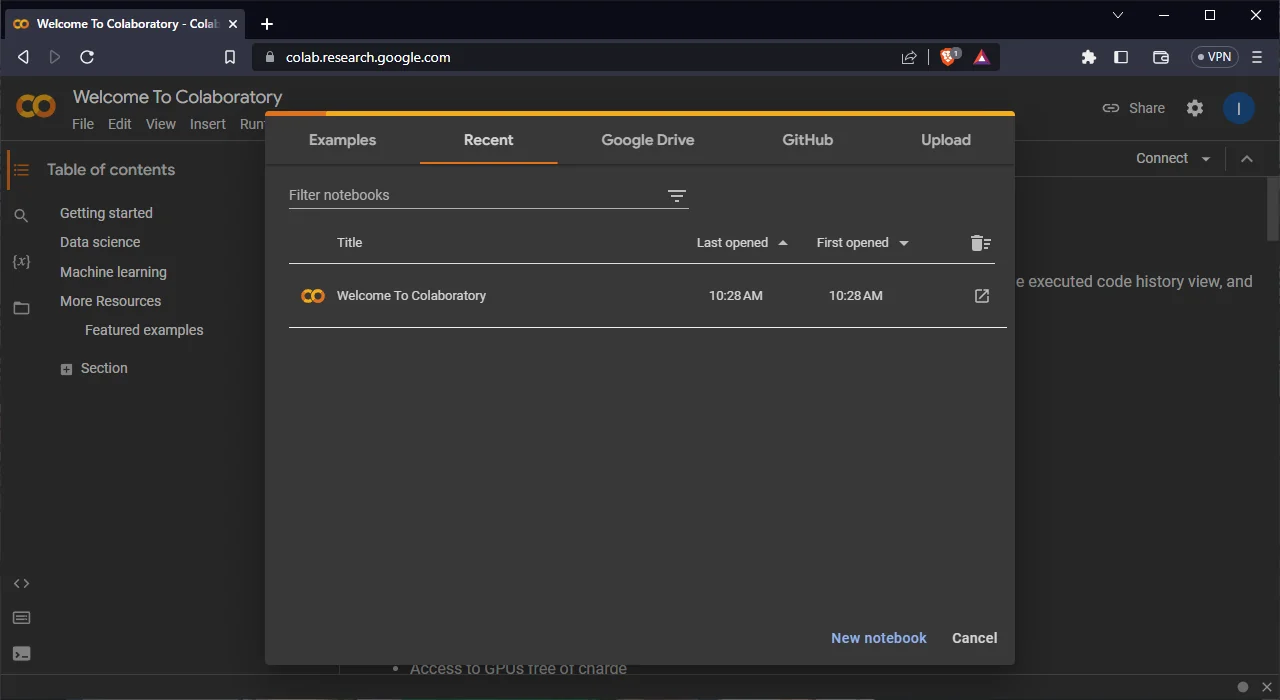 Google Colab provides FREE access to Tesla T4 GPUs; sufficient for most student projects.
What you get (FREE tier):
- ✅ NVIDIA Tesla T4 GPU (16GB VRAM)
- ✅ Up to 12GB RAM
- ✅ 100GB disk storage
- ✅ 12-hour maximum runtime per session
- ✅ Unlimited sessions (with reset)
- ✅ Pre-installed ML libraries
- ✅ Google Drive integration
GPU specs:
- Tesla T4: 2,560 CUDA cores, 16GB VRAM
- Performance: ~8.1 TFLOPS FP32, ~65 TFLOPS Tensor (FP16)
- Good for: Most deep learning, fine-tuning, medium models
Pre-installed libraries:
- TensorFlow, PyTorch, JAX
- Scikit-learn, XGBoost, LightGBM
- Pandas, NumPy, Matplotlib
- OpenCV, Pillow, NLTK
How to activate GPU:
# In Colab: Runtime > Change runtime type > GPU
# Verify GPU
import torch
print(torch.cuda.is_available())  # Should print True
print(torch.cuda.get_device_name(0))  # Tesla T4
Limitations (FREE tier):
- 12-hour max session (then restart)
- May disconnect if idle
- Priority given to Colab Pro users during high demand
Colab Pro ($10/month - optional):
- Better GPUs (A100, V100)
- 24-hour runtime
- More RAM (up to 52GB)
- Background execution
- Not necessary for most students
Best for: All students, prototyping, learning, medium-scale training
Access: colab.research.google.com
Rating: ⭐⭐⭐⭐⭐ (5/5)
Kaggle Notebooks (FREE P100 GPU + TPU)
What you get (FREE):
- ✅ NVIDIA Tesla P100 GPU (16GB VRAM)
- ✅ TPU v3-8 (128GB HBM)
- ✅ 30 hours/week GPU quota
- ✅ 30 hours/week TPU quota (separate)
- ✅ 20GB RAM
- ✅ 73GB disk (more with datasets)
- ✅ 9-hour session limit
GPU specs:
- P100: 3,584 CUDA cores, 16GB HBM2
- Performance: ~10.6 TFLOPS FP32, ~21.2 TFLOPS FP16
- Faster than: Colab's T4 (about 30% faster)
TPU specs:
- TPU v3-8: Google's custom ML accelerator
- Performance: 420 TFLOPS (bfloat16)
- Best for: Large-scale TensorFlow/JAX training
Advantages over Colab:
- Faster GPU (P100 > T4)
- Separate TPU quota (60 hours total/week)
- Direct dataset integration (no download needed)
- Persistent storage for datasets
How to use:
# Enable GPU: Settings > Accelerator > GPU
# Enable TPU: Settings > Accelerator > TPU

# In code
import tensorflow as tf
print(tf.config.list_physical_devices('GPU'))
Best for: Kaggle competitions, faster training, TPU experimentation
Access: kaggle.com/code
Rating: ⭐⭐⭐⭐⭐ (5/5)
Cloud Provider Free Credits
AWS Educate ($100 FREE credit)
- No credit card required
- EC2 GPU instances (p2, g4dn)
- SageMaker for ML
- S3 storage
- Apply: aws.amazon.com/education/awseducate
Google Cloud Platform ($300 FREE credit)
- 90 days of free credits
- Compute Engine with GPUs
- Vertex AI for ML
- Additional student programs
- Apply: cloud.google.com/edu
Microsoft Azure ($100 FREE credit)
- No credit card required
- Azure ML Studio
- GPU virtual machines
- Cognitive Services
- Apply: azure.microsoft.com/free/students
Total FREE credits: $500-700
Alternative Free Compute Options
Paperspace Gradient (FREE tier)
- FREE GPU access (limited hours)
- Jupyter notebooks
- Easy deployment
- Access: gradient.run
Lightning AI (FREE tier)
- Cloud ML development
- FREE GPU hours
- Built on PyTorch Lightning
- Access: lightning.ai
Saturn Cloud (FREE tier)
- Data science platform
- FREE compute hours
- Jupyter, Dask support
- Access: saturncloud.io
Cost Comparison
| Resource | GPU | Hours/Week | Monthly Value | Your Cost |
|---|---|---|---|---|
| Colab FREE | T4 | Unlimited* | ~$50 | $0 |
| Kaggle | P100 | 30 | ~$60 | $0 |
| Kaggle TPU | TPU v3 | 30 | ~$120 | $0 |
| AWS Credit | p2.xlarge | ~12 hours | $100 | $0 |
| GCP Credit | Custom | Variable | $300 | $0 |
| Azure Credit | NC6 | ~15 hours | $100 | $0 |
| TOTAL | - | 60+ | $730/mo | $0 |
*With session resets
You have access to $730/month worth of GPU computing for FREE.
Free ML Libraries and Frameworks
All professional ML frameworks are open-source and free.
Deep Learning Frameworks
1. TensorFlow ⭐
- Google's framework
- Production-ready
- TensorFlow Hub for pre-trained models
- Keras API (high-level, beginner-friendly)
- TensorFlow Lite (mobile)
- Install:
pip install tensorflow
2. PyTorch ⭐
- Facebook/Meta's framework
- Research-friendly
- Dynamic computation graphs
- PyTorch Hub for models
- TorchVision, TorchText, TorchAudio
- Install:
pip install torch torchvision torchaudio
3. JAX
- Google's NumPy on GPUs/TPUs
- Automatic differentiation
- JIT compilation
- Research-oriented
- Install:
pip install jax jaxlib
4. Keras (standalone)
- High-level API
- Backend-agnostic (TF, PyTorch, JAX)
- Beginner-friendly
- Install:
pip install keras
Traditional ML Libraries
5. Scikit-learn ⭐
- Classic ML algorithms
- Easy API
- Excellent documentation
- Install:
pip install scikit-learn
6. XGBoost
- Gradient boosting
- Kaggle competition favorite
- Very fast
- Install:
pip install xgboost
7. LightGBM
- Microsoft's gradient boosting
- Faster than XGBoost on large datasets
- Install:
pip install lightgbm
8. CatBoost
- Yandex's gradient boosting
- Great for categorical features
- Install:
pip install catboost
Specialized Libraries
Computer Vision:
- OpenCV - Image processing
- Pillow - Image manipulation
- Albumentations - Data augmentation
- Detectron2 - Object detection (Facebook)
NLP:
- Transformers - Hugging Face (BERT, GPT, etc.)
- spaCy - Industrial NLP
- NLTK - Natural language toolkit
- Gensim - Topic modeling
Data Processing:
- Pandas - Tabular data
- NumPy - Numerical computing
- Dask - Parallel computing
- Polars - Fast DataFrames
Visualization:
- Matplotlib - Plotting
- Seaborn - Statistical visualization
- Plotly - Interactive plots
- TensorBoard - ML visualization
All of these are FREE and open-source.
Free Courses and Tutorials
World-class AI/ML education, zero cost.
Top Free Courses
1. Fast.ai - Practical Deep Learning for Coders ⭐
- Cost: FREE
- Quality: Industry-leading
- Approach: Top-down (code first, theory later)
- Duration: ~7 weeks, 2 hours/week
- Topics: CNNs, RNNs, Transformers, deployment
- Best for: Learning by doing, practical skills
- Access: fast.ai
- Rating: ⭐⭐⭐⭐⭐ (5/5)
2. Stanford CS229 - Machine Learning
- Cost: FREE (audit)
- Instructor: Andrew Ng
- Duration: 10 weeks
- Topics: Supervised learning, neural networks, SVM, clustering
- Best for: Theoretical foundations
- Access: cs229.stanford.edu
- Rating: ⭐⭐⭐⭐⭐ (5/5)
3. DeepLearning.AI Specialization (Coursera)
- Cost: FREE with financial aid
- Instructor: Andrew Ng
- Courses: Neural networks, CNNs, RNNs, Transformers, MLOps
- Certificate: Yes (with financial aid)
- Access: coursera.org/specializations/deep-learning
- Rating: ⭐⭐⭐⭐⭐ (5/5)
4. MIT 6.S191 - Introduction to Deep Learning
- Cost: FREE
- Format: Video lectures + labs
- Duration: ~7 weeks
- Topics: CNNs, RNNs, GANs, RL
- Access: introtodeeplearning.com
- Rating: ⭐⭐⭐⭐⭐ (5/5)
5. Full Stack Deep Learning
- Cost: FREE
- Focus: Production ML systems
- Topics: MLOps, deployment, monitoring
- Best for: Building real-world systems
- Access: fullstackdeeplearning.com
- Rating: ⭐⭐⭐⭐⭐ (5/5)
YouTube Channels
6. StatQuest with Josh Starmer
- Clear explanations of ML concepts
- Visual, intuitive teaching
- Subscribe: StatQuest
7. 3Blue1Brown
- Beautiful math visualizations
- Neural network series
- Subscribe: 3Blue1Brown
8. Yannic Kilcher
- Paper reviews and explanations
- Research-focused
- Subscribe: Yannic Kilcher
9. Sentdex
- Python ML tutorials
- Project-based learning
- Subscribe: sentdex
Interactive Learning
10. Kaggle Learn
- FREE micro-courses
- Hands-on notebooks
- Topics: Python, Pandas, ML, Deep Learning
- Access: kaggle.com/learn
11. Google ML Crash Course
- FREE from Google
- Interactive exercises
- TensorFlow tutorials
- Access: developers.google.com/machine-learning/crash-course
Pre-Trained Models and APIs
Don't train from scratch; use pre-trained models.
Hugging Face Hub (500,000+ Models)
What you get:
- ✅ 500,000+ pre-trained models
- ✅ One-line model loading
- ✅ NLP, vision, audio, multimodal
- ✅ FREE inference API (rate-limited)
- ✅ Fine-tuning guides
Popular models:
- BERT - Text understanding
- GPT-2 - Text generation
- T5 - Text-to-text
- CLIP - Vision-language
- Whisper - Speech recognition
- Stable Diffusion - Image generation
Usage:
from transformers import pipeline

# Sentiment analysis
classifier = pipeline("sentiment-analysis")
result = classifier("I love this!")

# Image classification
classifier = pipeline("image-classification")
result = classifier("image.jpg")
Access: huggingface.co/models
Free API Access
OpenAI API (Limited FREE)
- $5 FREE credit for new users
- GPT-3.5, Whisper, DALL-E
- Access: openai.com/api
Anthropic Claude (Research access)
- Apply for research access
- Claude 3 models
- Access: anthropic.com/research
Google AI Studio (FREE)
- Gemini models
- FREE tier available
- Access: ai.google.dev/aistudio
Hugging Face Inference API (FREE tier)
- Rate-limited FREE access
- 500+ models
- Access: huggingface.co/inference-api
Community Resources and Forums
Get help from experienced practitioners, free.
Stack Overflow
- 2M+ ML questions answered
- Tag:
[machine-learning],[deep-learning],[tensorflow],[pytorch] - Access: stackoverflow.com
Reddit Communities
- r/MachineLearning (3M members) - Research and news
- r/learnmachinelearning (500K) - Beginners
- r/datascience (1M) - Data science
- r/deeplearning (200K) - Deep learning specific
Discord Servers
- Hugging Face Discord
- Fast.ai Discord
- PyTorch Discord
- TensorFlow Discord
Kaggle Discussion Forums
- Competition discussions
- Dataset Q&A
- Notebook comments
GitHub Discussions
- Library-specific help (PyTorch, TensorFlow repos)
- Issue tracking
- Feature requests
GitHub Repositories for Learning
Curated learning resources and implementations.
Awesome Lists:
- Awesome Machine Learning - github.com/josephmisiti/awesome-machine-learning
- Awesome Deep Learning - github.com/ChristosChristofidis/awesome-deep-learning
- ML From Scratch - github.com/eriklindernoren/ML-From-Scratch
Tutorials:
- TensorFlow Examples - github.com/tensorflow/examples
- PyTorch Examples - github.com/pytorch/examples
- Deep Learning Book - github.com/janishar/mit-deep-learning-book-pdf
Paper Implementations:
- Papers with Code - Linked implementations
- Annotated PyTorch Papers - github.com/labmlai/annotated_deep_learning_paper_implementations
Student Developer Packs and Credits
GitHub Student Developer Pack
- $200,000+ worth of tools
- GitHub Copilot FREE
- Cloud credits
- Apply: education.github.com/pack
JetBrains Education
- All IDEs FREE for students
- PyCharm Professional
- Apply: jetbrains.com/student
AWS Educate
- $100 FREE credit
- No credit card
- Apply: aws.amazon.com/education/awseducate
Complete guide: See our article Best AI Tools for Computer Science Students
Complete Resource Directory
Quick Reference Table:
| Resource Type | Top Option | FREE | Best For |
|---|---|---|---|
| Datasets | Kaggle | ✅ | All domains |
| GPU | Google Colab | ✅ | Training |
| TPU | Kaggle | ✅ | Large models |
| Framework | PyTorch/TF | ✅ | Deep learning |
| Course | Fast.ai | ✅ | Practical skills |
| Models | Hugging Face | ✅ | Transfer learning |
| Community | Stack Overflow | ✅ | Q&A |
| Cloud Credits | AWS Educate | ✅ $100 | Cloud learning |
Getting Started Roadmap by Level
Absolute Beginner (Week 1-4)
Week 1: Python Basics
- Learn Python (free: Python.org tutorial)
- Install Anaconda (free)
- Google Colab introduction
Week 2: NumPy & Pandas
- Kaggle Learn: Python, Pandas courses
- Practice with Titanic dataset
Week 3: First ML Model
- Kaggle Learn: Intro to Machine Learning
- Build first model (scikit-learn)
Week 4: Basic Deep Learning
- Fast.ai Lesson 1
- Train image classifier on Colab
Resources needed: $0
Intermediate (Month 2-3)
Goals:
- Complete Fast.ai course
- Enter Kaggle competition
- Build portfolio project
Resources:
- Colab for GPU training (FREE)
- Kaggle datasets (FREE)
- TensorFlow/PyTorch (FREE)
- GitHub for portfolio (FREE)
Resources needed: $0
Advanced (Month 4+)
Goals:
- Reproduce research papers
- Build original projects
- Contribute to open-source
Resources:
- Papers with Code (FREE)
- Hugging Face models (FREE)
- Cloud credits for large experiments (FREE via student packs)
Resources needed: $0 (using free credits)
Frequently Asked Questions
Are there really free GPUs for students?
Yes. Google Colab offers FREE Tesla T4 GPUs to anyone (no student verification needed). Kaggle provides FREE P100 GPUs and TPUs (30 hours/week each). Combined, that's 60+ hours of FREE GPU computing weekly; enough for most student projects. Additionally, AWS, GCP, and Azure offer $100-300 in FREE student credits for GPU instances.
Where can I find free datasets for AI projects?
Kaggle (50,000+ datasets), Hugging Face (100,000+), UCI ML Repository (600+), Google Dataset Search (millions), Papers with Code, AWS Open Data, and many more. All are completely FREE. For most student projects, Kaggle and Hugging Face provide everything you need across all domains: vision, NLP, tabular, audio, time series.
What's the best free course for learning machine learning?
Fast.ai (Practical Deep Learning for Coders) is best for hands-on learners; completely FREE, taught by top researchers, practical focus. Stanford CS229 (Andrew Ng) is best for theoretical foundations; FREE to audit. DeepLearning.AI on Coursera offers FREE access via financial aid (takes 15 days to approve). All three are world-class quality at zero cost.
Do I need an expensive GPU to learn AI/ML?
No. Google Colab and Kaggle provide FREE GPUs sufficient for learning and most projects. You can train neural networks, fine-tune large models, and complete Kaggle competitions entirely on free compute. Only very large-scale research requires expensive GPUs, and even then, student cloud credits cover initial experiments.
Can I use pre-trained models for free?
Yes. Hugging Face hosts 500,000+ pre-trained models, all FREE to use. TensorFlow Hub, PyTorch Hub, and Papers with Code also offer thousands of FREE models. You can fine-tune BERT, GPT-2, ResNet, CLIP, and other state-of-the-art models without training from scratch. Transfer learning is the standard approach and completely FREE.
Are TensorFlow and PyTorch really free?
Yes, completely FREE and open-source. Both are developed by major tech companies (Google and Meta) but freely available under permissive licenses. All features, updates, and enterprise-grade capabilities are FREE. Students and Fortune 500 companies use the same FREE software.
How much does it cost to start learning AI/ML as a student?
$0. You need: (1) laptop with internet (you already have), (2) FREE Google Colab account (GPU included), (3) FREE Kaggle account (datasets + GPU), (4) FREE courses (Fast.ai, Coursera with financial aid), (5) FREE frameworks (TensorFlow/PyTorch). Total cost: $0. No hidden fees, no required purchases.
What free tools do professional ML engineers use?
Professionals use the same FREE tools students use: TensorFlow, PyTorch, Scikit-learn, Pandas, Jupyter, Git, VS Code, and cloud platforms. The difference is scale (more GPU hours, larger datasets), not different tools. By learning with FREE resources, you're building professional-grade skills.
Can I access research papers for free?
Yes. arXiv.org hosts 2M+ research papers (FREE), Papers with Code links papers with implementations (FREE), Google Scholar finds papers (many have FREE PDFs), and university libraries provide access to paywalled journals (FREE for enrolled students). Most cutting-edge AI research is published FREE on arXiv before journal publication.
Are there free alternatives to paid ML platforms?
Yes. Instead of AWS SageMaker (paid), use Google Colab (FREE). Instead of paid courses, use Fast.ai or MIT OpenCourseWare (FREE). Instead of commercial datasets, use Kaggle (FREE). Instead of proprietary models, use Hugging Face (FREE). Almost every paid ML resource has a high-quality FREE alternative for students.
How do I get cloud credits as a student?
Apply for: (1) GitHub Student Developer Pack (includes cloud credits), (2) AWS Educate ($100, no credit card), (3) Azure for Students ($100, no credit card), (4) Google Cloud ($300 for new users + student programs). Total: $500-700 FREE credits. Requires student email (.edu) or student ID verification.
Can I deploy ML models for free?
Yes. Hugging Face Spaces (FREE hosting), Streamlit Cloud (FREE tier), Google Cloud Functions (FREE tier), Render (FREE tier), Railway (FREE tier), Vercel (FREE for personal projects), Heroku (limited FREE tier). You can deploy and share ML projects publicly at zero cost.
What programming language should I learn first for ML?
Python is the clear choice; used in 90%+ of ML projects. All major frameworks (TensorFlow, PyTorch, Scikit-learn) have Python APIs. The FREE resources for learning Python ML are vast. Once proficient in Python, you can optionally learn R (statistics) or Julia (high-performance), but Python alone is sufficient for 99% of student projects.
Are there free GPUs better than my laptop's CPU?
Yes. Colab's FREE Tesla T4 GPU is 10-20x faster than most laptop CPUs for deep learning. Kaggle's P100 GPU is even faster (~30-40x). For neural network training, FREE cloud GPUs vastly outperform even high-end laptop CPUs. This democratizes AI/ML; you don't need expensive hardware.
How can I practice ML without a project idea?
Kaggle competitions provide ready-made problems with datasets and leaderboards. Kaggle Learn offers guided mini-projects. Fast.ai includes project assignments. Papers with Code lists reproducible research. Hugging Face tasks show popular problem types. Start with competitions or course projects; original ideas come later as you learn.
Can I get help if I'm stuck, for free?
Yes. Stack Overflow has 2M+ answered ML questions (FREE). Reddit communities like r/learnmachinelearning have helpful experts (FREE). Discord servers (Hugging Face, Fast.ai, PyTorch) offer real-time help (FREE). Kaggle discussion forums help with datasets and competitions (FREE). Free community support is abundant and high-quality.
What's the catch with free resources?
No catch for education. Companies offer FREE resources to: (1) build ecosystems (more TensorFlow users = good for Google), (2) attract talent (students who learn on their platform may work there), (3) democratize AI (genuine mission for many). There are limits (Colab sessions timeout, Kaggle has weekly quotas), but they're generous for learning purposes.
Can I build a portfolio with free tools?
Yes. GitHub (FREE) hosts your code, Hugging Face Spaces (FREE) deploys models, Kaggle (FREE) showcases competition achievements, YouTube (FREE) for demo videos. You can build a comprehensive ML portfolio demonstrating real skills without spending money. Many students land internships/jobs based entirely on FREE-tool portfolios.
Do free resources expire or get removed?
Some do (e.g., cloud credits expire after time period, promotional offers end), but core resources remain: Colab, Kaggle, Hugging Face, TensorFlow, PyTorch, Fast.ai, Stack Overflow are sustained by major organizations and unlikely to disappear. Recommendation: use credits within their validity period, but rely on permanent FREE resources for long-term learning.
Should I eventually pay for anything?
Optional, not required. Possible paid upgrades: Colab Pro ($10/month for better GPUs; unnecessary for most students), Coursera certificates ($49; only for resume credential, learning is FREE), cloud computing (after credits expire; only for very large projects). You can complete entire degree worth of ML learning at $0 total cost.
Related Resources
Continue building your AI/ML skills:
- AI Homework Tools: Complete Student Guide (2026)
- Best AI Tools for Computer Science Students: Top 25
- How to Use AI for Homework Ethically (Student Guide)
- Best AI Note-Taking Apps for Students
Start Building AI/ML Projects Today
You have everything you need. Zero excuses. Zero cost.
Your complete AI/ML toolkit (FREE):
- ✅ 50,000+ datasets (Kaggle, Hugging Face)
- ✅ Professional GPUs (Colab, Kaggle: 60+ hours/week)
- ✅ $700+ cloud credits (AWS, GCP, Azure)
- ✅ World-class courses (Fast.ai, Stanford, MIT)
- ✅ Production frameworks (TensorFlow, PyTorch)
- ✅ 500,000+ pre-trained models (Hugging Face)
- ✅ Active communities (Stack Overflow, Reddit, Discord)
Next steps:
-
Create accounts (10 minutes):
- Google Colab
- Kaggle
- Hugging Face
- GitHub
-
Start learning (today):
- Fast.ai Lesson 1
- Kaggle Learn Python course
- Train first model on Colab
-
Build projects (this month):
- Join Kaggle competition
- Fine-tune Hugging Face model
- Deploy to Hugging Face Spaces
-
Share work (ongoing):
- GitHub repository
- Kaggle notebook
- LinkedIn post
Total cost: $0
Need help capturing lectures and study sessions?
KenzNote helps AI/ML students record lectures, study groups, and research discussions:
- ✅ $0.99 per lecture (affordable for students)
- ✅ 95-98% accuracy (captures technical ML terminology)
- ✅ Searchable transcripts (find any concept or formula discussed)
- ✅ AI summaries (quick review of 2-hour lectures)
Questions? Join the Kaggle community, Fast.ai forums, or Reddit r/learnmachinelearning; helpful people, zero cost.
Your AI/ML journey starts now. Everything you need is free.

About KenzNote Team
The KenzNote team is dedicated to helping teams capture better meeting insights and transform how they collaborate. With backgrounds in AI, product design, and enterprise software, we're building the future of meeting productivity.
Ready to transform your meetings?
KenzNote automatically captures meeting insights, extracts action items, and generates summaries so you can focus on the conversation instead of taking notes.
Try KenzNote Free