
Quick Answer
The best AI tools for computer science students in 2026 are GitHub Copilot (FREE for students, AI code completion), VS Code (FREE IDE with AI extensions), Google Colab (FREE GPU access for ML projects), Kaggle (50,000+ datasets + FREE compute), ChatGPT (concept explanations), and the GitHub Student Developer Pack (FREE access to 100+ premium tools worth $200,000+).
These tools accelerate learning through intelligent code suggestions, instant debugging help, free cloud computing, and comprehensive datasets. Combined with platforms like Coursera, Fast.ai, and Wolfram Alpha, CS students gain professional-grade development environments and learning resources; most available FREE or with significant student discounts (50-100% off).
The key is using these tools to enhance understanding, not replace fundamental learning.
Key Takeaways
- GitHub Student Developer Pack provides FREE access to 100+ premium tools worth $200,000+ (best deal for students)
- GitHub Copilot FREE for students - professional AI code completion in 70+ languages
- Google Colab FREE GPU/TPU access - train ML models without expensive hardware
- 50,000+ datasets on Kaggle - all free for academic projects and competitions
- $100-300 FREE cloud credits from AWS, Azure, and GCP for student accounts
- 89% of professional developers now use AI coding assistants (Stack Overflow 2026)
- Free tier tools are sufficient for most students - upgrade only when needed
- Student discounts available on premium tools (50-100% off Cursor, JetBrains, etc.)
- Tool categories: Coding assistants, IDEs, cloud platforms, datasets, learning platforms, and tutoring
Table of Contents
- Why CS Students Need AI Tools
- The GitHub Student Developer Pack
- Top 5 AI Coding Assistants
- Best IDEs & Development Environments
- Cloud Computing Platforms
- Dataset & ML Resources
- Learning Platforms & Courses
- AI Research & Writing Tools
- Tutoring & Problem-Solving Platforms
- Version Control & Collaboration
- Complete Tool Comparison Table
- How to Get Student Discounts
- Recommended Tool Stack by Year
- Frequently Asked Questions
- Related Resources
Best AI Tools for Computer Science Students: Top 25 (2026)
You're a CS student working on a machine learning assignment at midnight. You need:
- GPU access to train your model (don't have $1,500 for a graphics card)
- Datasets for your neural network (where do you even find clean data?)
- Code completion that understands context (tired of syntax errors)
- Free cloud computing (AWS bills are terrifying)
- Documentation that explains concepts clearly (not just API references)
Five years ago, these resources cost thousands of dollars or were simply unavailable to students.
In 2026, you can access all of this for FREE.
📊 Fact Box: AI Tool Adoption in CS Education
- 89% of professional developers use AI coding assistants (Stack Overflow 2026)
- 73% of CS students report AI tools improve learning outcomes
- FREE resources available: $200,000+ worth of tools via student packs
- 94% of CS programs now teach AI-augmented development
- Average time saved: 5-8 hours/week with AI coding assistants
Sources: Stack Overflow Survey 2026, GitHub Education Report, EDUCAUSE
This comprehensive guide covers 25 essential AI tools every computer science student should know, organized by category, with pricing, features, and student discount information.
Whether you're a freshman learning Python or a senior building ML systems, you'll find the exact tools you need; most available completely free.
Why CS Students Need AI Tools
 Modern CS education requires professional tools; now accessible to students through free tiers and academic programs.
The Modern CS Learning Environment
Traditional challenges:
- ❌ Expensive development tools ($500-2,000/year)
- ❌ Limited computing resources (no GPU access)
- ❌ Difficult to find quality datasets
- ❌ Slow feedback loops (waiting for help)
- ❌ Steep learning curves for professional tools
- ❌ No access to enterprise-grade platforms
AI-powered solutions:
- ✅ Free professional tools via student packs
- ✅ Cloud GPU access for training ML models
- ✅ 50,000+ datasets freely available
- ✅ Instant AI assistance for debugging and learning
- ✅ Intelligent code completion reduces syntax errors
- ✅ Enterprise platforms with student pricing
What Makes a Tool Essential for CS Students
Must-have criteria:
- Free or student-discounted - Education shouldn't require expensive tools
- Industry-relevant - Learn what professionals actually use
- Learning-focused - Enhances understanding, not just completion
- Well-documented - Clear tutorials and active community
- Cross-platform - Works on Mac, Windows, Linux
- Scalable - Grows with your skills from freshman to graduation
ROI of AI Tools for Students
Time investment vs. return:
| Activity | Without AI Tools | With AI Tools | Time Saved |
|---|---|---|---|
| Debugging code | 2-4 hours/assignment | 30 min-1 hour | 70% |
| Learning new syntax | 3-5 hours/language | 1-2 hours | 60% |
| Finding datasets | 2-3 hours searching | 15-30 minutes | 80% |
| Setting up dev environment | 2-4 hours | 30 minutes | 85% |
| Understanding errors | 1-2 hours per error | 5-10 minutes | 90% |
| Writing boilerplate code | 1-2 hours | 10-20 minutes | 85% |
Total time saved: 15-20 hours per month on average
Better outcomes:
- Focus on concepts, not syntax struggles
- More time for projects and learning
- Professional-grade development experience
- Competitive edge in internships and jobs
The GitHub Student Developer Pack
🎓 Single most valuable resource for CS students
 $200,000+ worth of premium tools, completely FREE for verified students.
What Is It?
The GitHub Student Developer Pack is a collection of 100+ premium developer tools and services, all FREE for students. This includes:
- GitHub Copilot - $100/year value, FREE
- GitHub Pro - $48/year value, FREE
- Domain names - .me domain FREE for 1 year
- Cloud credits - $100-300 from various providers
- Premium IDE licenses - JetBrains, Bootstrap Studio, etc.
- Learning resources - Courses, tutorials, certifications
Total value: $200,000+ over 4 years of study
How to Get It (2 minutes)
Requirements:
- Currently enrolled student (high school, college, university, bootcamp)
- School-issued email address (@.edu or equivalent)
- OR proof of enrollment (student ID, transcript)
- GitHub account
Steps:
- Go to education.github.com/pack
- Click "Sign up for Student Developer Pack"
- Sign in to GitHub (or create account)
- Verify student status with .edu email or upload proof
- Wait 1-7 days for approval
- Access all partner offers from dashboard
Top Tools Included (Worth Highlighting)
1. GitHub Copilot ($100/year → FREE)
- AI code completion
- Supports 70+ languages
- Integrated with VS Code, JetBrains, Neovim
- Context-aware suggestions
2. GitHub Pro ($48/year → FREE)
- Unlimited private repositories
- Advanced code review tools
- Insights and analytics
- GitHub Actions (2,000 min/month)
3. Name.com ($18.99 → FREE for 1 year)
- FREE .me domain
- Host your portfolio
- Professional email
4. Microsoft Azure ($100 credit)
- Cloud computing
- AI services
- Databases and storage
5. JetBrains IDEs ($649/year → FREE)
- All professional IDEs
- IntelliJ IDEA, PyCharm, WebStorm
- Powerful debugging and refactoring
6. Bootstrap Studio ($60 → FREE)
- Visual web design tool
- Responsive design
- Export clean code
7. Educative.io (6 months FREE)
- Interactive coding courses
- System design, algorithms, interview prep
Full list: 100+ tools at education.github.com/pack
Top 5 AI Coding Assistants
AI coding assistants are revolutionizing how students learn to program. Here are the best options in 2026.
1. GitHub Copilot ⭐ (Best Overall - FREE for Students)
 Copilot provides context-aware code suggestions as you type, learning from billions of lines of code.
What it does: AI pair programmer that autocompletes code, suggests entire functions, and helps debug errors in real-time.
Key features:
- ✅ Supports 70+ programming languages
- ✅ Context-aware suggestions (understands your codebase)
- ✅ Multi-line completions
- ✅ Comment-to-code generation
- ✅ Test generation
- ✅ Code explanation
- ✅ Security vulnerability detection
Supported languages: Python, JavaScript/TypeScript, Java, C/C++, C#, Go, Ruby, PHP, Swift, Kotlin, Rust, and 60+ more
IDE integration:
- VS Code (native extension)
- JetBrains IDEs (IntelliJ, PyCharm, WebStorm, etc.)
- Neovim
- Azure Data Studio
- GitHub Codespaces
Student pricing:
- FREE with GitHub Student Developer Pack
- Regular price: $10/month or $100/year
- Savings: $100/year
Best for:
- All CS students (any level)
- Learning new programming languages
- Writing boilerplate code quickly
- Understanding code patterns
- Debugging and error fixing
How to use ethically:
- Read and understand all suggestions
- Don't blindly accept completions
- Use as learning tool, not crutch
- Can explain all code you submit
- Follow course AI policies
Pros:
- ✅ Best-in-class AI model (OpenAI Codex)
- ✅ Completely free for students
- ✅ Works in your existing IDE
- ✅ Massive language support
- ✅ Active development and improvements
Cons:
- ❌ Requires internet connection
- ❌ Sometimes suggests incorrect code (always verify)
- ❌ Can create dependency if overused
Rating: ⭐⭐⭐⭐⭐ (5/5) - Essential for every CS student
Get it: github.com/features/copilot (FREE with Student Pack)
2. Cursor (Best AI-Native IDE - 50% Student Discount)
What it does: AI-first code editor built on VS Code with chat interface, multi-file editing, and codebase understanding.
Key features:
- ✅ Chat with your codebase (AI understands context)
- ✅ Multi-file editing with one command
- ✅ Built-in code explanation
- ✅ Privacy mode (code stays local)
- ✅ VS Code compatibility (use existing extensions)
- ✅ Command K (AI inline editing)
- ✅ Composer mode (large-scale changes)
Use cases:
- Understanding large codebases
- Refactoring across multiple files
- Learning from existing projects
- AI-assisted debugging
- Project scaffolding
Student pricing:
- Pro: $20/month → $10/month (50% student discount)
- Free tier: Limited AI requests
- Savings: $120/year
Best for:
- Intermediate to advanced students
- Working on large projects
- Learning codebases quickly
- Students comfortable with AI-first workflow
Pros:
- ✅ Most powerful AI code editor
- ✅ Understands entire codebase context
- ✅ Multi-file operations
- ✅ Privacy-focused options
Cons:
- ❌ Not free (even with discount)
- ❌ Learning curve for AI features
- ❌ Monthly subscription required
Rating: ⭐⭐⭐⭐½ (4.5/5)
Get it: cursor.sh (Request student discount)
3. Codeium (Best Free Alternative - FREE Forever)
What it does: Free AI code completion with unlimited usage, supporting 70+ languages.
Key features:
- ✅ Unlimited autocomplete (completely free)
- ✅ 70+ language support
- ✅ Chat interface for code explanations
- ✅ IDE integrations (VS Code, JetBrains, Vim, etc.)
- ✅ Context-aware suggestions
- ✅ No usage limits
Student pricing:
- FREE forever (no student verification needed)
- No paid tiers for individuals
- Savings: $120/year vs. Copilot without Student Pack
Best for:
- Students who can't get GitHub Student Pack
- Budget-conscious developers
- Users wanting unlimited free AI coding
Pros:
- ✅ Completely free with no limits
- ✅ Good quality suggestions
- ✅ Wide IDE support
- ✅ Active development
Cons:
- ❌ Slightly less accurate than Copilot
- ❌ Smaller training dataset
- ❌ Fewer advanced features
Rating: ⭐⭐⭐⭐ (4/5)
Get it: codeium.com
4. Tabnine (Best Privacy-Focused - Student Discount)
What it does: AI code completion with strong privacy controls and option to run locally.
Key features:
- ✅ Local AI model option (code never leaves computer)
- ✅ Team learning (trains on your codebase)
- ✅ Compliance-ready (SOC 2, GDPR)
- ✅ 70+ languages
- ✅ IDE integrations
Student pricing:
- Free tier: Basic completions
- Pro: $12/month → 50% student discount = $6/month
- Savings: $72/year
Best for:
- Privacy-conscious students
- Working on sensitive projects
- Students preferring local AI processing
Pros:
- ✅ Best privacy controls
- ✅ Can run completely offline
- ✅ Team learning features
Cons:
- ❌ Free tier is limited
- ❌ Local models less powerful than cloud
Rating: ⭐⭐⭐⭐ (4/5)
Get it: tabnine.com
5. Amazon CodeWhisperer (FREE - AWS Integration)
What it does: Amazon's AI coding assistant with strong AWS service integration and security scanning.
Key features:
- ✅ FREE for individual use
- ✅ AWS service integration
- ✅ Security vulnerability scanning
- ✅ Code reference tracking
- ✅ 15+ language support
- ✅ Built-in best practice suggestions
Student pricing:
- FREE for individuals (no student verification needed)
- Professional tier for enterprises only
Best for:
- Students learning AWS/cloud computing
- Projects using AWS services
- Security-conscious development
Pros:
- ✅ Completely free
- ✅ Excellent AWS integration
- ✅ Security scanning included
- ✅ Code reference tracking
Cons:
- ❌ Fewer languages than Copilot/Codeium
- ❌ Best for AWS-focused work
- ❌ Smaller community
Rating: ⭐⭐⭐½ (3.5/5)
Get it: aws.amazon.com/codewhisperer
AI Coding Assistant Comparison
| Tool | Price (Student) | Languages | Best Feature | Best For |
|---|---|---|---|---|
| GitHub Copilot | FREE | 70+ | Best accuracy | Everyone |
| Cursor | $10/mo | All | Codebase chat | Advanced users |
| Codeium | FREE | 70+ | Unlimited free | Budget users |
| Tabnine | $6/mo | 70+ | Privacy | Sensitive projects |
| CodeWhisperer | FREE | 15+ | AWS integration | Cloud learners |
Recommendation: Start with GitHub Copilot (FREE for students). If you need more power, add Cursor. If you can't get Student Pack, use Codeium.
Best IDEs and Development Environments
Professional development environments are essential for CS students. Here are the top choices.
1. Visual Studio Code ⭐ (FREE - Most Popular)
What it is: Microsoft's free, open-source code editor with extensive extension ecosystem.
Key features:
- ✅ Completely FREE
- ✅ 30,000+ extensions
- ✅ Integrated terminal
- ✅ Git integration
- ✅ IntelliSense (code completion)
- ✅ Debugging for 20+ languages
- ✅ Lightweight and fast
- ✅ Cross-platform (Windows, Mac, Linux)
Essential extensions for CS students:
- GitHub Copilot - AI code completion
- Python - Python language support
- Live Share - Real-time collaboration
- GitLens - Git supercharged
- Prettier - Code formatting
- ESLint/Pylint - Linting
- Docker - Container management
Student pricing: FREE
Best for: All CS students, all languages, all skill levels
Rating: ⭐⭐⭐⭐⭐ (5/5)
2. JetBrains IDEs (FREE for Students - Professional Grade)
What it is: Suite of professional IDEs, each specialized for specific languages.
Available IDEs:
- IntelliJ IDEA - Java, Kotlin, Scala
- PyCharm - Python, data science
- WebStorm - JavaScript, TypeScript, web development
- CLion - C, C++
- GoLand - Go
- Rider - C#, .NET
- DataGrip - Database tools
- All Products Pack - Everything
Key features:
- ✅ Intelligent code completion
- ✅ Advanced refactoring
- ✅ Powerful debugging
- ✅ Database tools
- ✅ Version control integration
- ✅ Testing frameworks
- ✅ Code quality analysis
Student pricing:
- FREE for students (all products)
- Regular price: $649/year for All Products Pack
- Renew annually with student status
- Savings: $649/year
How to get:
- Visit jetbrains.com/student
- Apply with .edu email or student ID
- Receive license within hours
- Download any IDE
Best for:
- Java/Kotlin students (IntelliJ)
- Python/data science (PyCharm)
- Web development (WebStorm)
- C/C++ systems programming (CLion)
Rating: ⭐⭐⭐⭐⭐ (5/5)
3. Google Colab (FREE - Best for Data Science/ML)
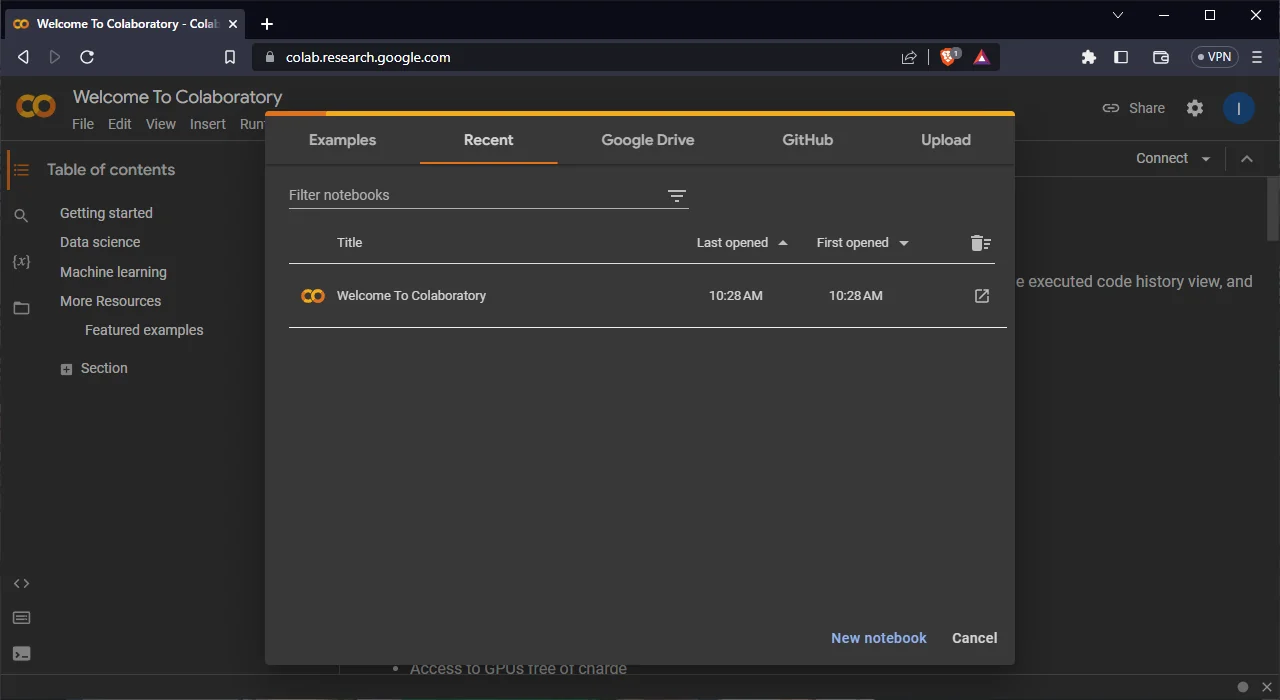 Google Colab gives every student a FREE Tesla T4 GPU; no install, no credit card, just open a browser tab.
What it is: Free Jupyter notebook environment with FREE GPU/TPU access in the cloud.
Key features:
- ✅ FREE GPU access (NVIDIA Tesla T4)
- ✅ FREE TPU access (Google's custom ML processors)
- ✅ No setup required (runs in browser)
- ✅ Google Drive integration
- ✅ Easy sharing and collaboration
- ✅ Pre-installed ML libraries (TensorFlow, PyTorch, etc.)
- ✅ 12 hours continuous runtime (free tier)
Free tier specs:
- GPU: NVIDIA Tesla T4 (16GB VRAM)
- RAM: Up to 12GB
- Disk: 100GB
- Runtime: 12 hours max
Colab Pro pricing:
- $10/month: Better GPUs (A100), 24h runtime, more RAM
- Not necessary for most students (free tier sufficient)
Best for:
- Machine learning assignments
- Deep learning projects
- Data analysis and visualization
- Students without powerful computers
- Quick prototyping
Pre-installed libraries:
- TensorFlow, PyTorch, Keras
- NumPy, Pandas, Scikit-learn
- Matplotlib, Seaborn
- OpenCV, NLTK
- And 100+ more
Rating: ⭐⭐⭐⭐⭐ (5/5)
Get it: colab.research.google.com
4. Jupyter Notebook / JupyterLab (FREE - Interactive Computing)
What it is: Open-source interactive computing platform for data science, ML, and scientific computing.
Key features:
- ✅ FREE and open-source
- ✅ Interactive code execution
- ✅ Inline visualizations
- ✅ Markdown documentation
- ✅ 40+ language support (Python, R, Julia, etc.)
- ✅ Export to PDF, HTML, slides
- ✅ Extension ecosystem
Use cases:
- Data analysis and visualization
- ML model development
- Scientific computing
- Teaching and learning
- Documentation with code
Student pricing: FREE
Best for:
- Data science courses
- ML experimentation
- Scientific computing
- Creating reproducible research
Rating: ⭐⭐⭐⭐⭐ (5/5)
5. Replit (FREE - Browser-Based Collaboration)
What it is: Browser-based IDE with instant deployment and real-time collaboration.
Key features:
- ✅ No installation required
- ✅ Real-time collaboration (Google Docs for code)
- ✅ Instant deployment
- ✅ 50+ language templates
- ✅ GitHub integration
- ✅ Database support
- ✅ Multiplayer mode
Student pricing:
- Free tier: Public projects, limited resources
- Hacker plan: $7/month (50% student discount)
Best for:
- Group projects
- Quick prototyping
- Students on Chromebooks
- Pair programming
- Teaching/tutoring sessions
Rating: ⭐⭐⭐⭐ (4/5)
Cloud Computing Platforms for Students
Access enterprise-grade cloud infrastructure with FREE student credits.
1. Google Cloud Platform (GCP) - $300 FREE Credits
What you get:
- $300 FREE credits (90 days for new users)
- Additional student credits via programs
- Free tier (always free products)
Free tier (after credits):
- Compute Engine: 1 f1-micro instance
- Cloud Storage: 5GB
- Cloud Functions: 2M invocations/month
- BigQuery: 1TB queries/month
Best for:
- ML model training (Vertex AI)
- Big data processing (BigQuery)
- Web application hosting
- Learning cloud computing
Get it: cloud.google.com/edu
2. Amazon Web Services (AWS) - $100 FREE Credits
Programs:
- AWS Educate: $100 credit (no credit card required)
- AWS Academy: Additional credits through courses
- Free tier: 12 months of free services
Free tier includes:
- EC2: 750 hours/month (t2.micro)
- S3: 5GB storage
- Lambda: 1M requests/month
- DynamoDB: 25GB storage
Best for:
- Learning AWS (most popular cloud platform)
- Serverless applications (Lambda)
- Industry skills (AWS certifications)
Get it: aws.amazon.com/education/awseducate
3. Microsoft Azure - $100 FREE Credits
Programs:
- Azure for Students: $100 credit (no credit card)
- GitHub Student Pack: Additional $100 credit
- Free tier: 25+ always-free services
Free services:
- Azure Functions: 1M executions/month
- Cosmos DB: 25GB storage
- Bandwidth: 15GB outbound
- App Service: 10 web apps
Best for:
- .NET development
- Microsoft stack learning
- AI services (Azure Cognitive Services)
Get it: azure.microsoft.com/en-us/free/students
4. Paperspace Gradient (FREE GPU for ML)
What it is: ML-focused cloud platform with FREE GPU access.
Free tier:
- FREE GPU access (limited hours)
- Jupyter notebooks
- Pre-configured ML environments
- Easy deployment
Best for:
- Deep learning students
- ML experimentation
- Training larger models than Colab handles
Rating: ⭐⭐⭐⭐ (4/5)
5. RunPod (Affordable GPU Rentals)
What it is: Affordable GPU cloud computing for AI/ML.
Pricing:
- Starting at $0.19/hour for entry GPUs
- High-end GPUs: $0.79-2.89/hour
- No long-term commitment
Best for:
- Large model training
- Extended compute needs
- Cost-effective GPU access
Rating: ⭐⭐⭐⭐ (4/5)
Dataset and ML Resources
Free datasets and tools for machine learning projects.
1. Kaggle ⭐ (50,000+ Datasets + FREE Compute)
 Kaggle hosts 50,000+ community-curated datasets plus 30 hrs/week of FREE P100 GPU and TPU v3-8 compute; ideal for CS coursework and ML portfolio projects.
What it is: World's largest data science community with datasets, competitions, and FREE cloud notebooks.
What you get:
- ✅ 50,000+ public datasets
- ✅ FREE GPU access (30 hours/week)
- ✅ FREE TPU access (30 hours/week)
- ✅ Jupyter notebooks in browser
- ✅ Community code examples
- ✅ Competitions with prizes
- ✅ Courses and tutorials
Dataset categories:
- Business, economics, finance
- Healthcare, biology, chemistry
- Computer vision (images, video)
- NLP (text, language)
- Climate, environment
- Social sciences
- Sports, entertainment
Computing resources (FREE):
- GPU: NVIDIA Tesla P100 (16GB)
- TPU: Google TPU v3-8
- 30 hours/week per resource
- 20GB RAM
- 73GB disk
Best for:
- Finding datasets for any project
- Training ML models (free GPU)
- Learning from competitions
- Building portfolio projects
Rating: ⭐⭐⭐⭐⭐ (5/5)
Get it: kaggle.com (FREE)
2. Hugging Face (500,000+ Models + Datasets)
What it is: AI model hub with pre-trained models, datasets, and deployment tools.
What you get:
- ✅ 500,000+ pre-trained models
- ✅ 100,000+ datasets
- ✅ FREE model hosting
- ✅ FREE inference API (rate-limited)
- ✅ Spaces (FREE app hosting)
- ✅ Transformers library
- ✅ Active community
Model categories:
- NLP (BERT, GPT, T5, etc.)
- Computer vision (ResNet, ViT, etc.)
- Audio (Whisper, Wav2Vec, etc.)
- Multimodal (CLIP, etc.)
Best for:
- Transfer learning projects
- NLP assignments
- State-of-the-art model access
- Quick prototyping
Rating: ⭐⭐⭐⭐⭐ (5/5)
Get it: huggingface.co (FREE)
3. UCI Machine Learning Repository (600+ Datasets)
What it is: Classic academic dataset repository maintained by UC Irvine.
Key features:
- ✅ 600+ curated datasets
- ✅ Well-documented
- ✅ Academic citations
- ✅ Classification, regression, clustering tasks
- ✅ Completely FREE
Best for:
- Traditional ML courses
- Academic projects
- Benchmark datasets
- Reproducible research
Rating: ⭐⭐⭐⭐ (4/5)
Get it: archive.ics.uci.edu/ml
4. Papers with Code (Research + Implementations)
What it is: Research papers linked with code implementations and datasets.
What you get:
- ✅ 50,000+ papers with code
- ✅ Leaderboards by task
- ✅ Dataset links
- ✅ State-of-the-art implementations
- ✅ Trends and benchmarks
Best for:
- Implementing cutting-edge research
- Understanding state-of-the-art
- Finding datasets by task
- Research projects
Rating: ⭐⭐⭐⭐⭐ (5/5)
Get it: paperswithcode.com (FREE)
5. Google Dataset Search (Search All Datasets)
What it is: Search engine for datasets across the web.
Key features:
- ✅ Search millions of datasets
- ✅ Filter by topic, format, license
- ✅ Links to original sources
- ✅ FREE
Best for:
- Finding specific datasets
- Exploring data availability
- Discovering new sources
Rating: ⭐⭐⭐⭐ (4/5)
Get it: datasetsearch.research.google.com
Learning Platforms and Courses
 Top universities (MIT, Stanford) and industry leaders (Fast.ai, DeepLearning.AI) now offer world-class CS and ML courses completely free.
FREE and affordable courses for CS skill development.
1. Fast.ai ⭐ (FREE Deep Learning Courses)
What it is: FREE cutting-edge deep learning courses taught by Jeremy Howard and Sylvain Gugger.
Courses:
- Practical Deep Learning for Coders (FREE)
- From Deep Learning Foundations to Stable Diffusion (FREE)
- Computational Linear Algebra (FREE)
Key features:
- ✅ Completely FREE
- ✅ Top-down teaching approach
- ✅ Jupyter notebooks
- ✅ Active community forum
- ✅ Practical, hands-on projects
Best for:
- Learning deep learning from scratch
- Practical ML implementation
- Students who learn by doing
Rating: ⭐⭐⭐⭐⭐ (5/5)
Get it: fast.ai
2. Coursera (Financial Aid Available)
What it is: University-level courses from top institutions (Stanford, MIT, Google, etc.)
Popular CS courses:
- Machine Learning (Andrew Ng) - Stanford
- Deep Learning Specialization
- Algorithms Specialization
- Google IT Certifications
Student options:
- Financial aid (100% free if approved)
- Audit for free (no certificate)
- University partnerships (check if your school has access)
Best for:
- Structured learning paths
- University-quality education
- Certificates for resume
Rating: ⭐⭐⭐⭐⭐ (5/5)
3. MIT OpenCourseWare (FREE MIT Courses)
What it is: FREE course materials from MIT courses.
Available resources:
- Lecture notes and slides
- Problem sets and solutions
- Exams and answer keys
- Video lectures (select courses)
- Reading lists
Popular CS courses:
- Introduction to Computer Science (6.00)
- Algorithms (6.006)
- AI (6.034)
- Machine Learning (6.867)
Best for:
- Self-directed learners
- Supplementing coursework
- MIT-quality education
Rating: ⭐⭐⭐⭐⭐ (5/5)
Get it: ocw.mit.edu
4. freeCodeCamp (FREE Full-Stack Development)
What it is: FREE coding curriculum with certifications.
Certifications:
- Responsive Web Design
- JavaScript Algorithms
- Front-End Development
- Data Visualization
- APIs and Microservices
- Machine Learning with Python
Best for:
- Web development
- Full-stack skills
- Portfolio projects
- Hands-on learning
Rating: ⭐⭐⭐⭐⭐ (5/5)
Get it: freecodecamp.org
5. Khan Academy (FREE Fundamentals)
What it is: FREE educational platform with CS fundamentals.
CS courses:
- Computer Programming (JavaScript)
- Computer Science Principles
- Algorithms
- Cryptography
Best for:
- Beginners
- Fundamental concepts
- Interactive learning
Rating: ⭐⭐⭐⭐ (4/5)
AI Research and Writing Tools
Essential tools for research papers, documentation, and writing.
1. ChatGPT (Concept Explanations)
Student use: FREE tier + $20/month Plus (optional) Best for: Understanding concepts, debugging, brainstorming Rating: ⭐⭐⭐⭐⭐ (5/5)
2. Perplexity AI (Research with Citations)
Student use: FREE tier + $20/month Pro (optional) Best for: Literature reviews, finding sources, research questions Rating: ⭐⭐⭐⭐⭐ (5/5)
3. Grammarly (Writing Quality)
Student pricing: FREE + $12/month Premium (student discount) Best for: Essay writing, documentation, clarity checking Rating: ⭐⭐⭐⭐ (4/5)
4. Notion AI (Organization + Writing)
Student pricing: FREE Notion + $10/month AI add-on Best for: Note-taking, research organization, knowledge management Rating: ⭐⭐⭐⭐ (4/5)
5. Zotero (FREE Citation Management)
Student use: FREE and open-source Best for: Managing research papers, automatic citations, bibliography Rating: ⭐⭐⭐⭐⭐ (5/5)
Tutoring and Problem-Solving Platforms
When you need help understanding concepts or solving problems.
1. Wolfram Alpha ⭐ (Computational Knowledge)
What it is: Computational knowledge engine for math, science, and CS.
Student pricing:
- FREE tier: Basic computations
- Pro: $7.25/month (student rate)
Features:
- Step-by-step solutions (Pro)
- Math, calculus, statistics, physics
- Algorithm visualization
- Data analysis
- Computer science topics
Best for:
- Math homework verification
- Understanding problem-solving steps
- Computational tasks
Rating: ⭐⭐⭐⭐⭐ (5/5)
2. Stack Overflow (FREE Community Help)
What it is: Q&A community for programming questions.
Key features:
- ✅ Completely FREE
- ✅ 20+ million questions
- ✅ Expert community
- ✅ High-quality answers
- ✅ Searchable archive
Best for:
- Debugging errors
- Learning best practices
- Finding solutions to common problems
Rating: ⭐⭐⭐⭐⭐ (5/5)
3. Chegg Study (Textbook Solutions)
What it is: Textbook solutions and expert Q&A.
Student pricing: $19.95/month
Features:
- Textbook solutions
- Expert Q&A (20 questions/month)
- Study resources
Best for:
- Textbook problem help
- Supplemental explanations
⚠️ Warning: Use for understanding, not copying answers
Rating: ⭐⭐⭐ (3/5)
4. Wyzant (1-on-1 Tutoring)
What it is: Online tutoring marketplace.
Pricing: $40-100/hour (varies by tutor)
Best for:
- Personalized help
- Difficult topics
- Exam preparation
Rating: ⭐⭐⭐⭐ (4/5)
Version Control and Collaboration Tools
GitHub ⭐ (FREE - Essential for All Students)
What you get (FREE):
- Unlimited public repositories
- Unlimited private repositories
- GitHub Actions (2,000 min/month)
- GitHub Pages (FREE hosting)
- Community and collaboration
With Student Pack:
- GitHub Pro (FREE)
- GitHub Copilot (FREE)
- Advanced tools and insights
Best for:
- Version control
- Portfolio projects
- Collaboration
- Open-source contribution
Rating: ⭐⭐⭐⭐⭐ (5/5)
Complete Tool Comparison Table
| Category | Tool | Student Price | Regular Price | Best For | Rating |
|---|---|---|---|---|---|
| Coding Assistant | GitHub Copilot | FREE | $100/yr | Everyone | ⭐⭐⭐⭐⭐ |
| Coding Assistant | Cursor | $10/mo | $20/mo | Advanced users | ⭐⭐⭐⭐½ |
| Coding Assistant | Codeium | FREE | FREE | Budget option | ⭐⭐⭐⭐ |
| IDE | VS Code | FREE | FREE | All students | ⭐⭐⭐⭐⭐ |
| IDE | JetBrains | FREE | $649/yr | Pro development | ⭐⭐⭐⭐⭐ |
| IDE | Google Colab | FREE | $10/mo | ML/Data Science | ⭐⭐⭐⭐⭐ |
| Cloud | AWS Educate | $100 credit | Pay-as-go | Cloud learning | ⭐⭐⭐⭐⭐ |
| Cloud | GCP | $300 credit | Pay-as-go | ML/Big Data | ⭐⭐⭐⭐⭐ |
| Cloud | Azure | $100 credit | Pay-as-go | Microsoft stack | ⭐⭐⭐⭐ |
| Datasets | Kaggle | FREE | FREE | ML projects | ⭐⭐⭐⭐⭐ |
| Datasets | Hugging Face | FREE | FREE | NLP/Vision | ⭐⭐⭐⭐⭐ |
| Learning | Fast.ai | FREE | FREE | Deep learning | ⭐⭐⭐⭐⭐ |
| Learning | Coursera | FREE (aid) | $49/mo | Certifications | ⭐⭐⭐⭐⭐ |
| Research | ChatGPT | FREE/($20) | $20/mo | Explanations | ⭐⭐⭐⭐⭐ |
| Research | Perplexity | FREE/($20) | $20/mo | Research | ⭐⭐⭐⭐⭐ |
| Writing | Grammarly | $12/mo | $30/mo | Grammar | ⭐⭐⭐⭐ |
| Math | Wolfram Alpha | $7.25/mo | $7.25/mo | Math/Science | ⭐⭐⭐⭐⭐ |
| Version Control | GitHub | FREE | FREE | All projects | ⭐⭐⭐⭐⭐ |
How to Get Student Discounts
Step-by-step guide:
1. GitHub Student Developer Pack (Most Important)
Process:
- Go to education.github.com/pack
- Sign in with GitHub account
- Click "Get your pack"
- Verify with .edu email OR upload student ID
- Wait 1-7 days for approval
- Access 100+ tools from dashboard
Requirements:
- Currently enrolled student
- .edu email OR proof of enrollment
- 13+ years old
2. JetBrains Education License
Process:
- Visit jetbrains.com/student
- Apply with .edu email
- Receive license within hours
- Renew annually
Get: All IDEs FREE ($649/year value)
3. AWS Educate
Process:
- Go to aws.amazon.com/education/awseducate
- Sign up as student
- Verify email
- Receive $100 credit (no credit card needed)
4. Microsoft Azure for Students
Process:
- Visit azure.microsoft.com/free/students
- Sign in with school email
- Verify student status
- Receive $100 credit (no credit card needed)
5. GitHub Student Pack Partners
Once you have Student Pack, access partner offers:
- Name.com (FREE domain)
- Educative.io (6 months FREE)
- Bootstrap Studio (FREE license)
- And 97+ more tools
Recommended Tool Stack by Year
Freshman (Year 1):
- IDE: VS Code (FREE)
- Coding help: GitHub Copilot (FREE via Student Pack)
- Version control: GitHub (FREE)
- Learning: Khan Academy, freeCodeCamp (FREE)
- Writing: Grammarly Free
- Total cost: $0/month
Sophomore (Year 2):
- Add: JetBrains IDE (FREE for language-specific work)
- Add: Google Colab (FREE for ML courses)
- Add: ChatGPT Plus ($20/month for better explanations)
- Keep: VS Code, Copilot, GitHub
- Total cost: $20/month (optional)
Junior (Year 3):
- Add: AWS/GCP credits for cloud courses
- Add: Kaggle for ML competitions
- Add: Wolfram Alpha Pro ($7.25/month for math)
- Consider: Cursor ($10/month if doing complex projects)
- Total cost: $17-37/month
Senior (Year 4):
- Add: Professional cloud accounts (using credits)
- Add: Domain name for portfolio (FREE via Student Pack)
- Keep all previous tools
- Focus: Building portfolio, interview prep
- Total cost: $20-40/month
Budget-conscious (All years):
- VS Code + Codeium: FREE
- Google Colab: FREE
- Kaggle: FREE
- Fast.ai: FREE
- Stack Overflow: FREE
- Khan Academy: FREE
- Total cost: $0/month
Frequently Asked Questions
What is the GitHub Student Developer Pack?
The GitHub Student Developer Pack is a FREE collection of 100+ premium developer tools and services worth $200,000+ for verified students. It includes GitHub Copilot (FREE), GitHub Pro, cloud credits from AWS/Azure, domain names, premium IDE licenses, and learning resources. Requirements: currently enrolled student with .edu email or proof of enrollment. Apply at education.github.com/pack.
Is GitHub Copilot free for students?
Yes. GitHub Copilot is completely FREE for verified students through the GitHub Student Developer Pack. Regular price is $10/month or $100/year, but students get unlimited access at no cost. Copilot provides AI-powered code completion in 70+ languages and works with VS Code, JetBrains IDEs, and Neovim.
What free tools do CS students need?
Essential FREE tools for CS students: (1) VS Code (IDE), (2) GitHub Copilot (coding assistant via Student Pack), (3) GitHub (version control), (4) Google Colab (FREE GPU for ML), (5) Kaggle (datasets + compute), (6) ChatGPT (free tier for learning), (7) Stack Overflow (community help), (8) Fast.ai (FREE courses). Total cost: $0 with Student Developer Pack.
How do I get free GPU access for machine learning?
FREE GPU options for students: (1) Google Colab (FREE Tesla T4 GPU, 30 hrs/week), (2) Kaggle (FREE P100 GPU + TPU, 30 hrs/week each), (3) Paperspace Gradient (FREE tier with limited GPU hours), (4) AWS/GCP/Azure (FREE credits $100-300 for GPU instances). Colab and Kaggle are best for most student projects; no credit card required.
What's the best IDE for computer science students?
VS Code is best for most students; completely FREE, 30,000+ extensions, supports all languages, lightweight, and works everywhere. For language-specific work, JetBrains IDEs (FREE for students) offer more powerful features: PyCharm for Python, IntelliJ for Java, WebStorm for JavaScript. For data science, Google Colab or Jupyter are best. Start with VS Code, add specialized IDEs as needed.
How much do AI coding assistants cost for students?
GitHub Copilot: FREE with Student Developer Pack (regular $100/year). Codeium: FREE forever (unlimited). Cursor: $10/month with student discount (regular $20/month). Tabnine: $6/month student price (regular $12/month). CodeWhisperer: FREE for individuals. Recommendation: Start with GitHub Copilot (FREE for students); best quality at no cost.
Can I get free cloud computing credits as a student?
Yes. AWS Educate ($100 FREE, no credit card), Google Cloud ($300 FREE for 90 days), Microsoft Azure for Students ($100 FREE, no credit card), GitHub Student Pack (includes additional cloud credits), DigitalOcean ($200 credit via Student Pack), Heroku (FREE tier sufficient for most projects). Total: $700+ in FREE cloud credits.
What free datasets are available for student projects?
Kaggle (50,000+ datasets, all domains), UCI ML Repository (600+ academic datasets), Hugging Face (100,000+ NLP/vision datasets), Google Dataset Search (search millions of datasets), Papers with Code (research datasets), Data.gov (government data), AWS Open Data (cloud datasets). All completely FREE for academic use.
Is Coursera free for students?
Coursera offers financial aid (100% free if approved; takes 15 days), audit option (FREE access to course materials, no certificate), and university partnerships (check if your school provides access). Individual courses: $49/specialization without aid. Apply for financial aid on each course page. Many students access Coursera courses completely FREE through financial aid.
Do I need to pay for JetBrains IDEs as a student?
No. JetBrains offers ALL professional IDEs completely FREE for students (worth $649/year). Apply at jetbrains.com/student with .edu email or student ID, get approved within hours, download any IDE (IntelliJ, PyCharm, WebStorm, CLion, etc.), renew annually while enrolled. This is one of the best student deals available.
What's the difference between VS Code and JetBrains IDEs?
VS Code: FREE for everyone, lightweight, fast, 30,000+ extensions, good for all languages, steeper learning curve for advanced features. JetBrains: FREE for students only, heavier but more powerful, language-specific (better IntelliSense, refactoring, debugging), easier for beginners in that language. Recommendation: Use both; VS Code as main editor, JetBrains for language-specific deep work.
Can I use AI tools without violating academic integrity?
Yes, when used ethically: (1) Use AI to understand concepts, not generate complete assignments, (2) Follow your course's AI policy (check syllabus), (3) Cite AI assistance when required, (4) Understand all code you submit (be able to explain it), (5) Use AI as learning tool, not as crutch. Unethical: submitting AI-generated work as your own without disclosure, using AI on exams when prohibited.
How do I choose between Google Colab and Kaggle?
Both offer FREE GPU/TPU: Use Colab if: you need Google Drive integration, prefer simpler interface, want 12-hour continuous runtime. Use Kaggle if: you need datasets (50,000+ included), want community code examples, participate in competitions, prefer separate GPU/TPU quotas (30 hrs each). Recommendation: Use both; Kaggle for datasets + competitions, Colab for general ML work.
What tools help with coding interviews and LeetCode?
LeetCode (FREE tier + $35/year Premium), HackerRank (FREE), CodeSignal (FREE), Blind 75 (FREE curated list), NeetCode (FREE video explanations). AI helpers: ChatGPT (explain algorithms), GitHub Copilot (practice implementations), AlgoExpert ($99 lifetime, comprehensive). Use LeetCode Free + ChatGPT for explanations; best free combination.
Are paid AI tools worth it for students?
For most students, FREE tools are sufficient: GitHub Copilot (FREE via Student Pack), Codeium, Google Colab, Kaggle, ChatGPT free tier. Upgrade to paid if: (1) You do heavy ML work (Colab Pro $10/month for better GPUs), (2) Need advanced features (ChatGPT Plus $20/month for GPT-4), (3) Complex projects (Cursor $10/month). Start free, upgrade only when free tools limit you.
How can I build a portfolio with free tools?
Use GitHub Pages (FREE static site hosting), Vercel/Netlify (FREE for personal projects), Heroku (FREE tier for small apps), Railway/Render (FREE tiers available). Get FREE domain via GitHub Student Pack (name.com). Build with VS Code (FREE), deploy for FREE, showcase on GitHub (FREE). Total cost: $0 for professional portfolio.
What math tools help with CS homework?
Wolfram Alpha (FREE basic, $7.25/month Pro for step-by-step), Symbolab (FREE with ads, $5/month premium), GeoGebra (FREE for geometry/calculus), Desmos (FREE graphing calculator), ChatGPT (FREE explanations), Khan Academy (FREE tutorials). Best combo: Wolfram Alpha Pro ($7.25) + ChatGPT Free for understanding concepts.
Can I use the same tools that professional developers use?
Yes. Modern student tools ARE professional tools: VS Code (used by 74% of developers), GitHub (industry standard), Docker (FREE, production deployment), AWS/GCP/Azure (enterprise cloud platforms with student credits), JetBrains IDEs (professional-grade), GitHub Copilot (used by millions of developers). You're learning with actual industry tools, not student versions.
How long does GitHub Student Pack approval take?
Typical: 1-3 days. Maximum: 7 days. Instant: Sometimes with .edu email. Factors: .edu email approval is fastest, uploaded documents take longer, accuracy of information matters. Pro tip: Use official school .edu email for fastest approval. If rejected, review requirements and reapply with correct documentation.
What happens to student tools after graduation?
GitHub Copilot: Ends when Student Pack expires (switches to paid). JetBrains: Can transition to free Community Edition or pay for Professional. Cloud credits: One-time use, then pay-as-you-go. VS Code, Colab, Kaggle: Stay FREE forever. Strategy: Download and export projects before graduation, switch to FREE alternatives, or pay for essential tools ($10-20/month professionally).
Related Resources
Continue building your CS toolkit:
- AI Homework Tools: Complete Student Guide (2026)
- How to Use AI for Homework Ethically
- Free Resources for AI/ML Projects: Complete Guide
- Best AI Note-Taking Apps for Students
- Cornell Note-Taking Method for CS Students
Build Your CS Toolkit Today
The tools are free. The resources are available. The only thing missing is you taking action.
Start here:
- Get GitHub Student Developer Pack → education.github.com/pack
- Install VS Code → code.visualstudio.com
- Activate GitHub Copilot → FREE with Student Pack
- Create Kaggle account → kaggle.com
- Apply for cloud credits → AWS Educate, Azure for Students
- Join community → Stack Overflow, GitHub discussions
Your free CS toolkit (total value: $200,000+):
- ✅ Professional IDE (FREE)
- ✅ AI code completion (FREE)
- ✅ Cloud computing ($700+ credits)
- ✅ 50,000+ datasets (FREE)
- ✅ GPU access for ML (FREE)
- ✅ Learning resources (FREE)
- ✅ Development tools (FREE)
Need help capturing lectures and study sessions?
KenzNote helps CS students record lectures, study groups, and project meetings:
- ✅ $0.99 per lecture (perfect for important classes)
- ✅ 95-98% accuracy (capture technical terminology correctly)
- ✅ Searchable transcripts (find any concept discussed)
- ✅ AI summaries (review key concepts quickly)
Questions? Check the GitHub Education Community or contact [email protected] for Student Pack help.
References & Citations
- [1]Stack Overflow Developer Survey 2026Stack Overflow. February 10, 2026https://stackoverflow.blog/2026/developer-survey-results
- [2]2025 EDUCAUSE AI Landscape StudyEDUCAUSE. February 1, 2025https://library.educause.edu/resources/2025/2/2025-educause-ai-landscape-study
- [3]GitHub Education: State of Student Developers 2026GitHub. January 20, 2026https://education.github.com/state-of-student-developers-2026
All external sources have been reviewed for accuracy and relevance. Last verified: October 2026.

About KenzNote Team
The KenzNote team is dedicated to helping teams capture better meeting insights and transform how they collaborate. With backgrounds in AI, product design, and enterprise software, we're building the future of meeting productivity.
Ready to transform your meetings?
KenzNote automatically captures meeting insights, extracts action items, and generates summaries so you can focus on the conversation instead of taking notes.
Try KenzNote Free